Mobile Hacking Lab - Strings Writeup

Hello, in today’s writeup, I will walk you through Strings lab MobileHackingLab.
The lab provided us with APK file and our goal is to get the flag. So, let’s get started.
First, let’s run the app in an Android emulator to examine its runtime behavior and get an overview.
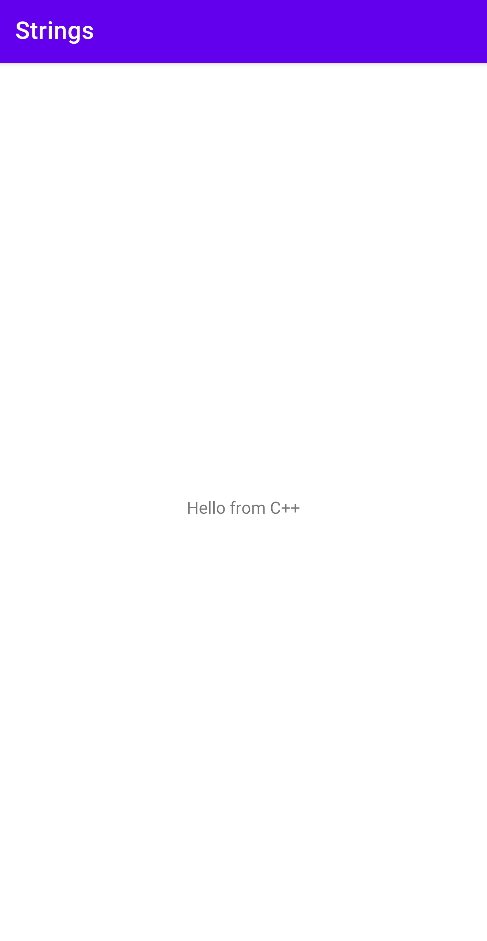
We can see it is a blank page with Hello from C++ at center.
Static Analysis
As usual, let’s start static analysis and examine the source code using JADX-GUI.
We can see in AndroidManifest.xml there are two exported activities: MainActivity and Activity2 with intent-filter.

Let’s start with MainActivity.
MainActivity Analysis:
-
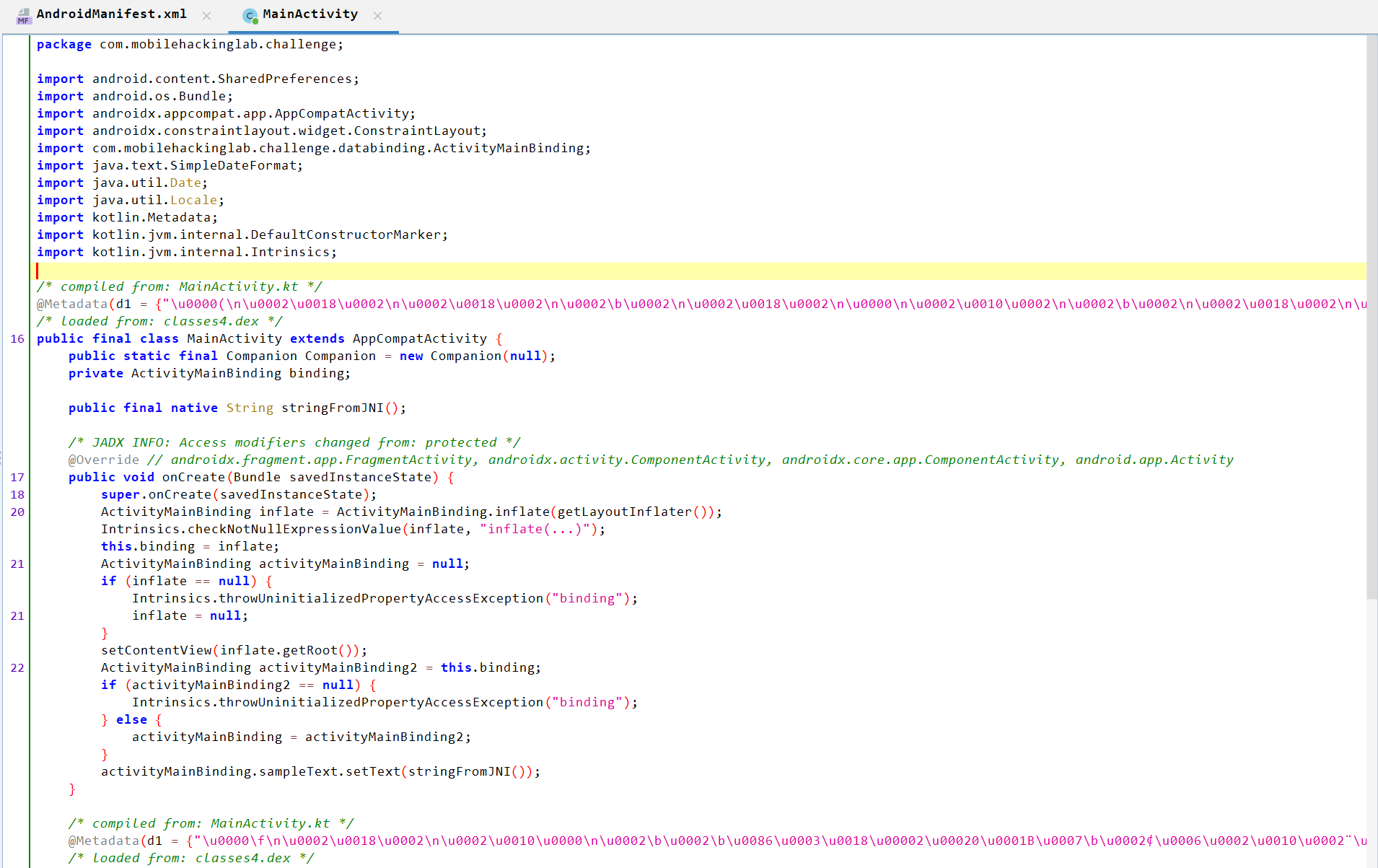
Allows Java to call native functions through JNI. As it’s
native, so the code can be found in a shared library (.so) not in java code.public final native String stringFromJNI(); -
Loads the native library named libchallenge.so into memory.
static { System.loadLibrary("challenge"); } -
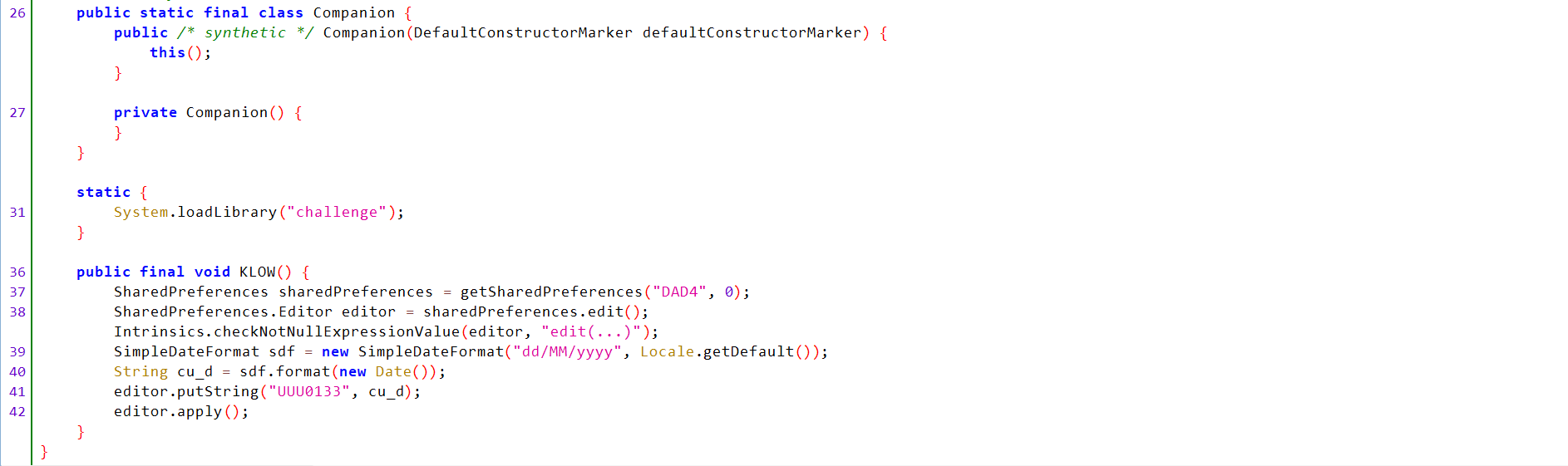
KLOW()Analysis:- Defines a function called
KLOW()that creates a shared preferences file calledDAD4. - Creates an editor object to edit shared preferences and checks it is not null.
- Formats the date and retreive the current data in
dd/MM/yyyyformat and save it incu_dobject. - Saves the date and
UUU0133key into shared preferences. - Applies the changes.
public final void KLOW() { SharedPreferences sharedPreferences = getSharedPreferences("DAD4", 0); SharedPreferences.Editor editor = sharedPreferences.edit(); Intrinsics.checkNotNullExpressionValue(editor, "edit(...)"); SimpleDateFormat sdf = new SimpleDateFormat("dd/MM/yyyy", Locale.getDefault()); String cu_d = sdf.format(new Date()); editor.putString("UUU0133", cu_d); editor.apply(); } - Defines a function called
Let’s navigate to Activity2.
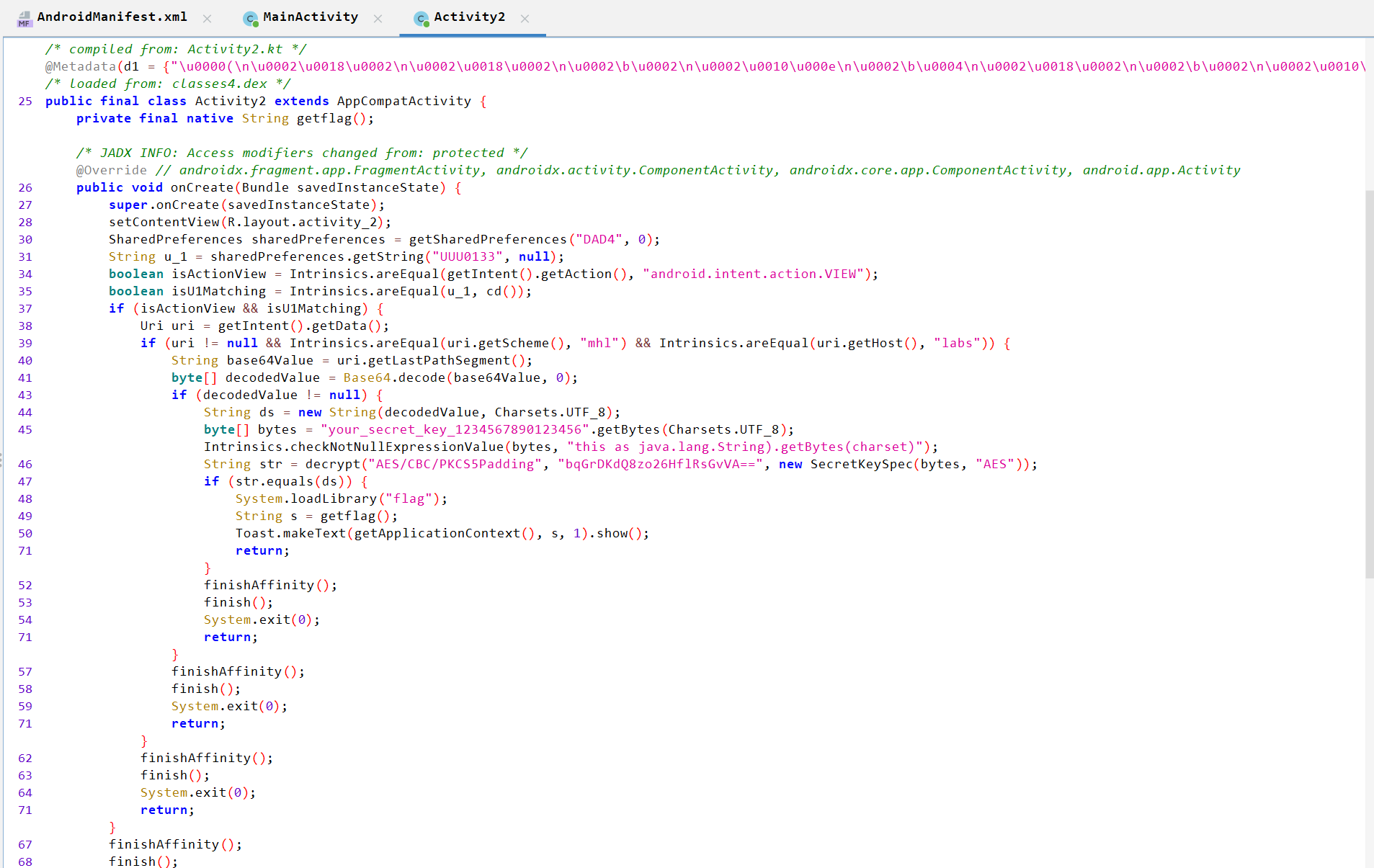
Activity2 Analysis:
-
Retrieves
DAD4shared preferences.SharedPreferences sharedPreferences = getSharedPreferences("DAD4", 0); -
Fetches the
UUU0133key’s value. If no value found, returnsnullString u_1 = sharedPreferences.getString("UUU0133", null); -
Checks if the action of the incoming intent that starts
Activity2isandroid.intent.action.VIEW.boolean isActionView = Intrinsics.areEqual(getIntent().getAction(), "android.intent.action.VIEW"); -
Checks if the value
u_1object (the returned value from shared preferences) is equal to the returned value fromcd()method.boolean isU1Matching = Intrinsics.areEqual(u_1, cd()); -
If the
isActionViewandisU1Matchingare valid, it starts to check the URI of the intent. -
Checks that the URI is not null and the schema is
mhland the host islabs. -
Define a
base64Valueobject that contains a last path segment of the URI and decode it. -
If the
decodedValueis not null, it usesdecrypt()method to decryptbqGrDKdQ8zo26HflRsGvVA==using AES/CBC/PKCS5Padding with a specifiedIVand secret key. -
If the decrypted value equals
ds(object contains the bas64 decoded value), it loads theflagnative library and calls a native methodgetflag()to retrieve a flag.
   if (isActionView && isU1Matching) {
   Uri uri = getIntent().getData();
   if (uri != null && Intrinsics.areEqual(uri.getScheme(), "mhl") && Intrinsics.areEqual(uri.getHost(), "labs")) {
       String base64Value = uri.getLastPathSegment();
       byte[] decodedValue = Base64.decode(base64Value, 0);
       if (decodedValue != null) {
           String ds = new String(decodedValue, Charsets.UTF_8);
           byte[] bytes = "your_secret_key_1234567890123456".getBytes(Charsets.UTF_8);
           Intrinsics.checkNotNullExpressionValue(bytes, "this as java.lang.String).getBytes(charset)");
           String str = decrypt("AES/CBC/PKCS5Padding", "bqGrDKdQ8zo26HflRsGvVA==", new SecretKeySpec(bytes, "AES"));
           if (str.equals(ds)) {
               System.loadLibrary("flag");
               String s = getflag();
               Toast.makeText(getApplicationContext(), s, 1).show();
               return;
           }
           finishAffinity();
           finish();
           System.exit(0);
           return;
       }
       finishAffinity();
       finish();
       System.exit(0);
       return;
   }
   finishAffinity();
   finish();
   System.exit(0);
   return;
   }
   finishAffinity();
   finish();
   System.exit(0);
-
Validates the
decrypt()method parameters and check they are not null. -
Gets the
IVvalue fromfixedIVinActivity2Ktand stores it inbytesobject. -
Decodes the encrypted string from base64, then decodes the result from AES encryption using
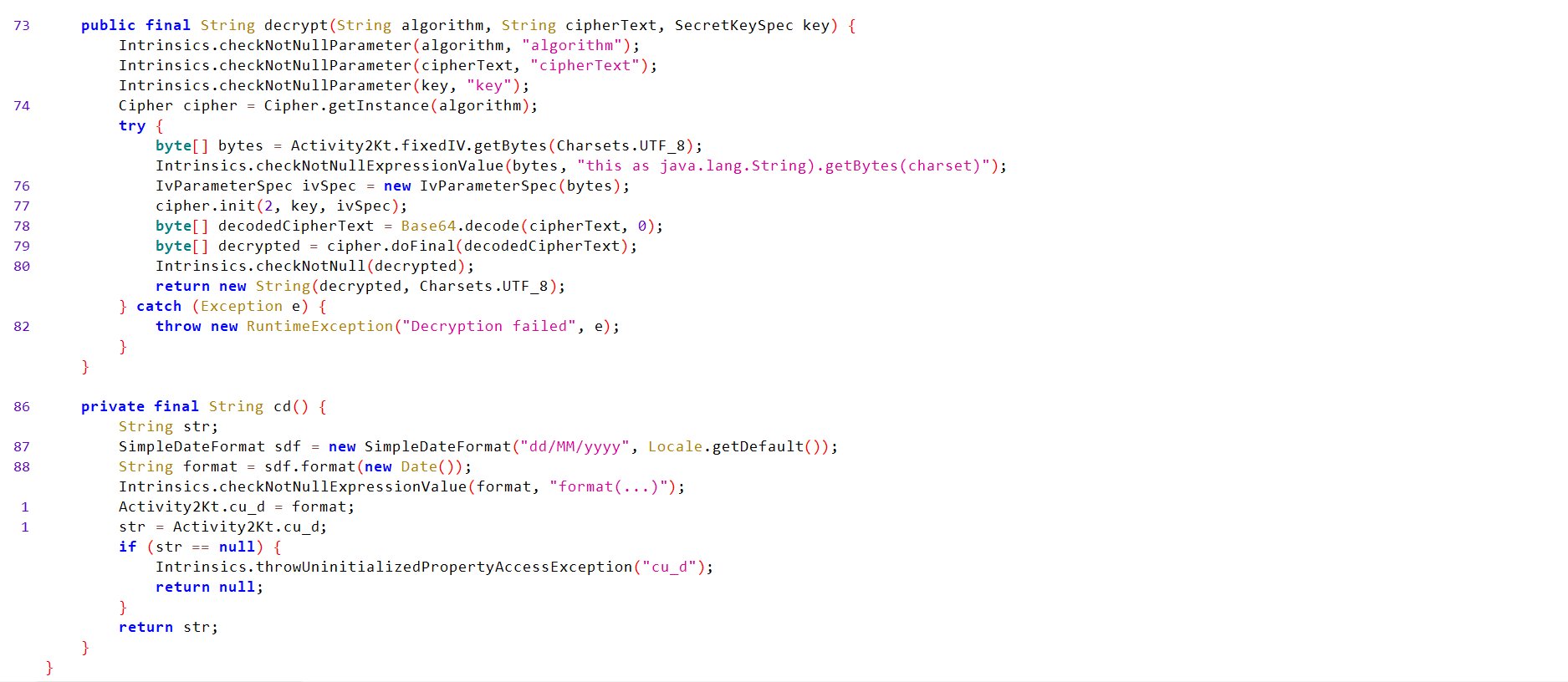
key(secret key) andIV.public final String decrypt(String algorithm, String cipherText, SecretKeySpec key) { Intrinsics.checkNotNullParameter(algorithm, "algorithm"); Intrinsics.checkNotNullParameter(cipherText, "cipherText"); Intrinsics.checkNotNullParameter(key, "key"); Cipher cipher = Cipher.getInstance(algorithm); try { byte[] bytes = Activity2Kt.fixedIV.getBytes(Charsets.UTF_8); Intrinsics.checkNotNullExpressionValue(bytes, "this as java.lang.String).getBytes(charset)"); IvParameterSpec ivSpec = new IvParameterSpec(bytes); cipher.init(2, key, ivSpec); byte[] decodedCipherText = Base64.decode(cipherText, 0); byte[] decrypted = cipher.doFinal(decodedCipherText); Intrinsics.checkNotNull(decrypted); return new String(decrypted, Charsets.UTF_8); } catch (Exception e) { throw new RuntimeException("Decryption failed", e); } }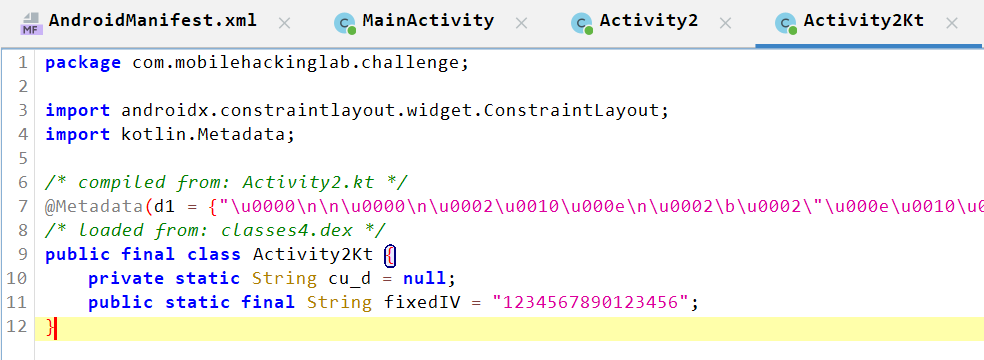
-
Gets the current data using
Date()method and convert its format todd/MM/yyyyn stores it into acu_dobject inActivity2Ktthen into a string calledstr. -
If the string is null, it will throws
UninitializedPropertyAccessExceptionException. otherwise, returns thestrvalues.private final String cd() { String str; SimpleDateFormat sdf = new SimpleDateFormat("dd/MM/yyyy", Locale.getDefault()); String format = sdf.format(new Date()); Intrinsics.checkNotNullExpressionValue(format, "format(...)"); Activity2Kt.cu_d = format; str = Activity2Kt.cu_d; if (str == null) { Intrinsics.throwUninitializedPropertyAccessException("cu_d"); return null; } return str; }
Exploitation
Here is the approach to get flag:
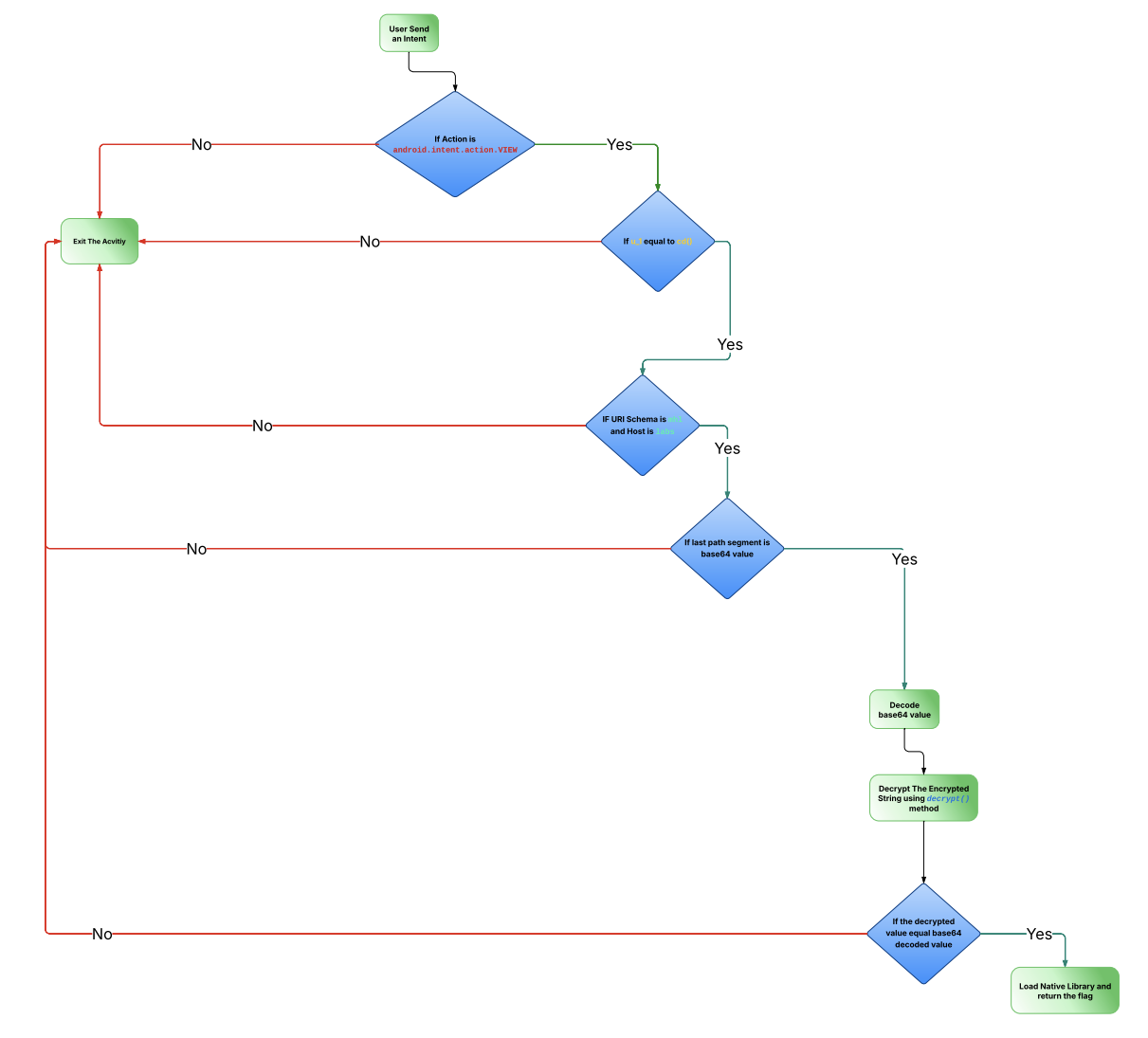
So, we need to invoke KLOW() method using Frida to generate the required SharedPreferences file (DAD4) and when the condition happens, it will match the value of UUU0133 key and the result of cd() method. Then it will start to validate the URI.
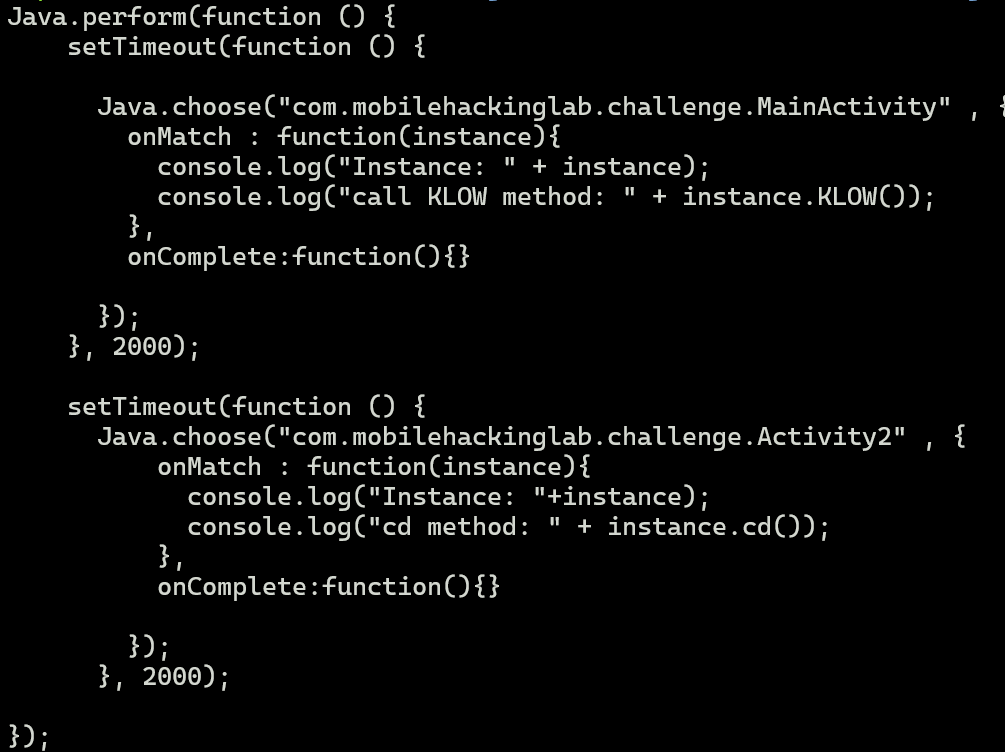
Let’s start frida-server and run the script.

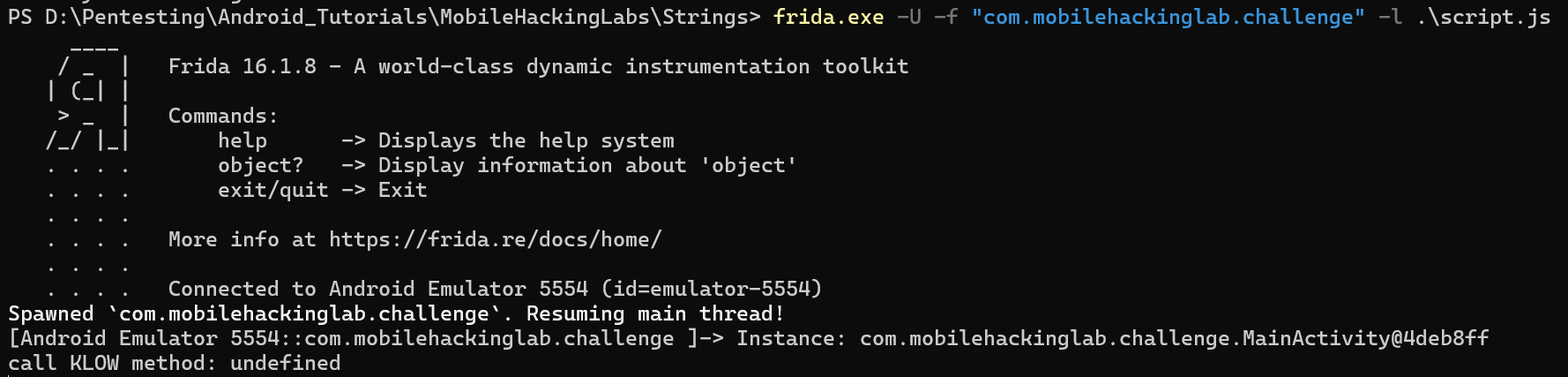
Now, we need to send a valid URI. Let’s do this.
We can obtain the base64 encoded value via decrypting bqGrDKdQ8zo26HflRsGvVA== and then base64 encode the result again.
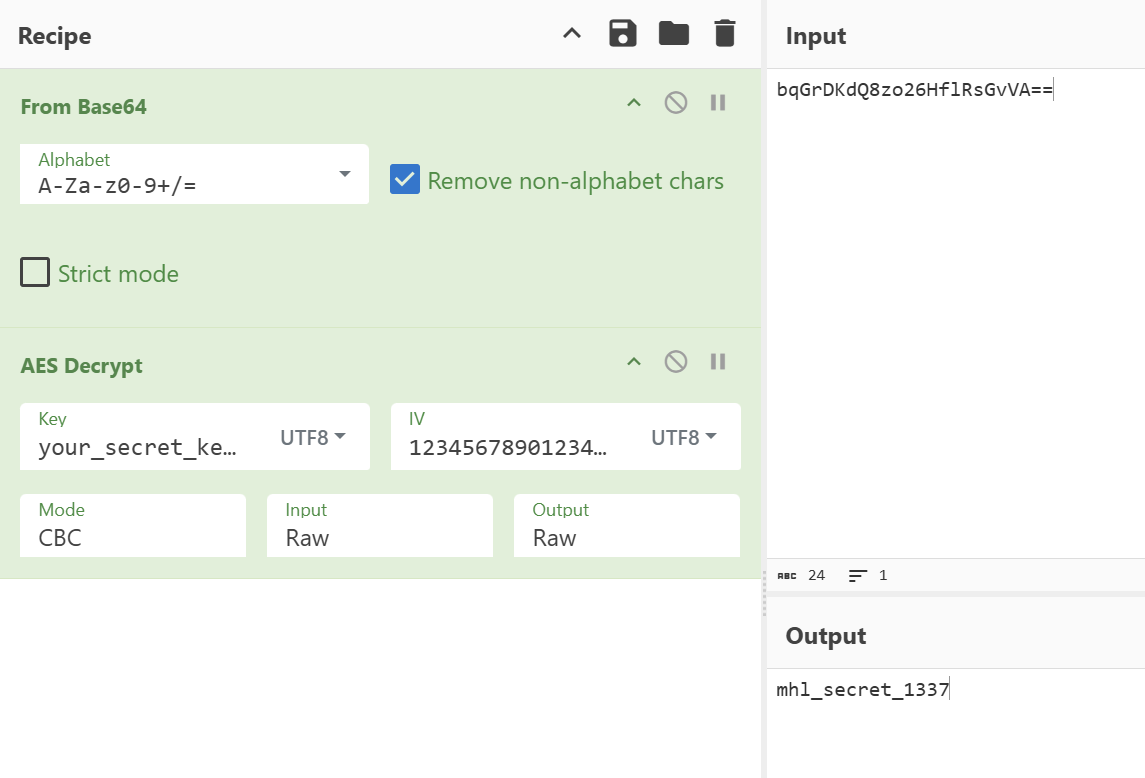
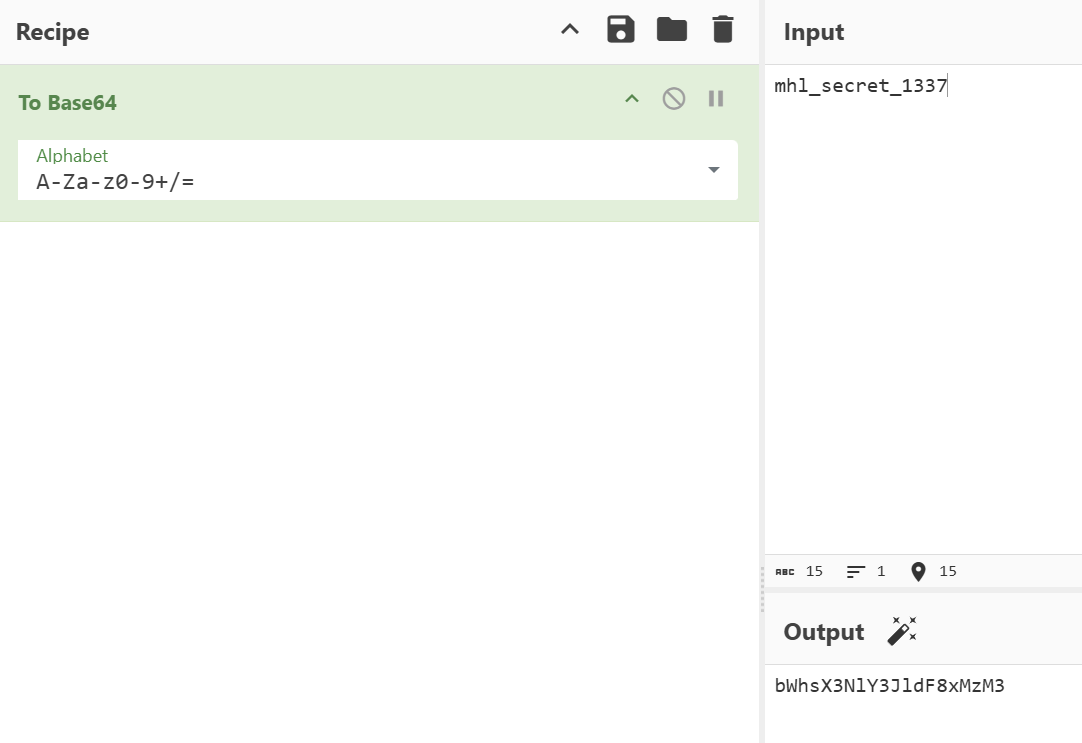
We can start an activity using the following adb command now:
adb shell am start -n com.mobilehackinglab.challenge/.Activity2 -a android.intent.action.VIEW -d "mhl://labs/bWhsX3NlY3JldF8xMzM"

We got Success message, but no flag returned.
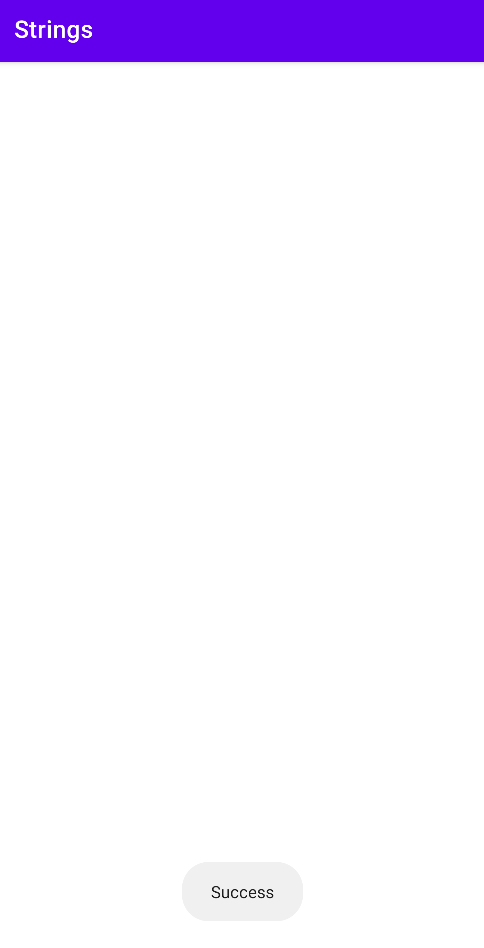
If we back to the lab page, we can see a small hint which tells us that the flag is in memory.
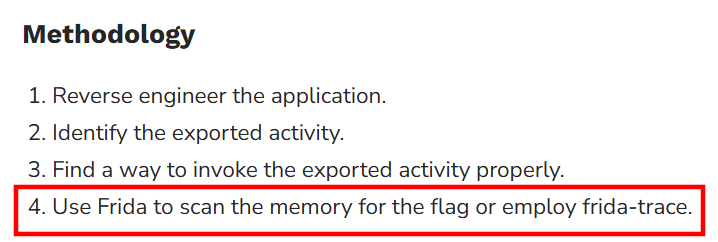
So, we can scan the memory using three ways:
Way #1: Using Objection
-
Detect the Process ID of lab package name.
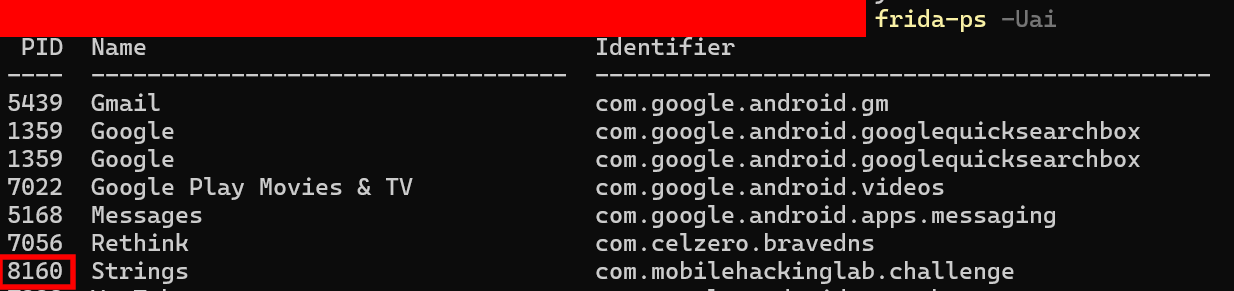
-
Scan the memory using objection memory module and search for
MHL{(the flag format).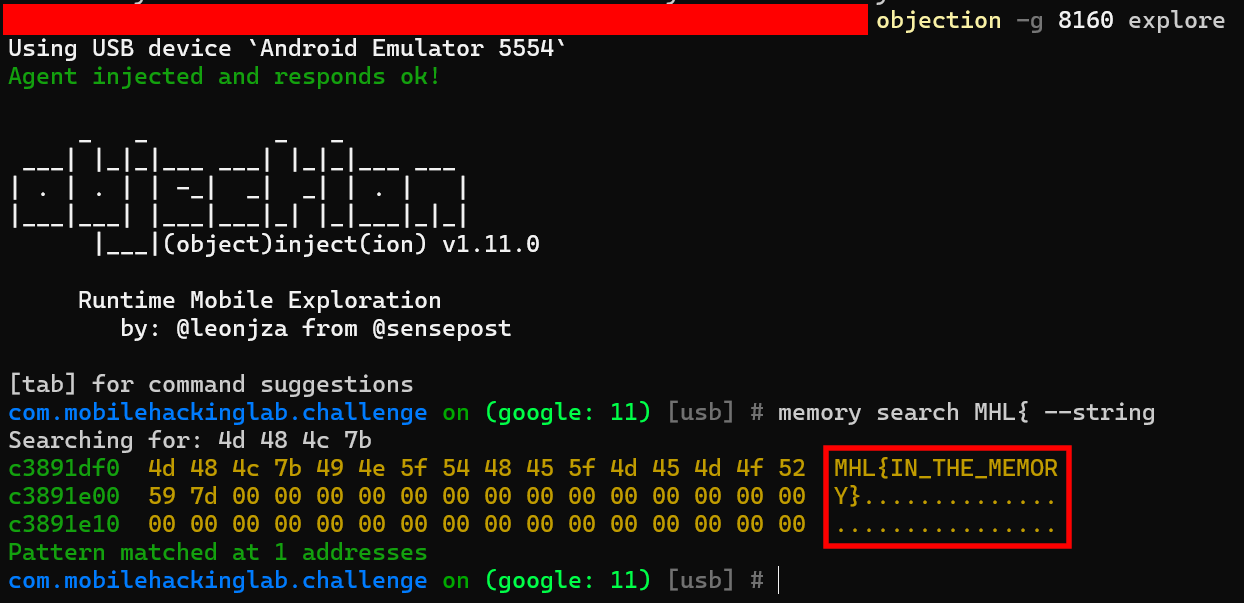
Way #2: Using Fridump
Fridump is an open source memory dumper tool, used to retrieve data stored in RAM from all different devices and operating systems. It is using as base Frida (excellent framework, if you don’t know it you should give it a look!) to scan the memory from the access level of a specific application and dump the accessible sectors to separate files.
From: https://pentestcorner.com/introduction-to-fridump/
-
Detect the Process ID of lab package name (it is same as way #1).
-
Run
Fridumpusing:python3 .\fridump.py -U -s Strings.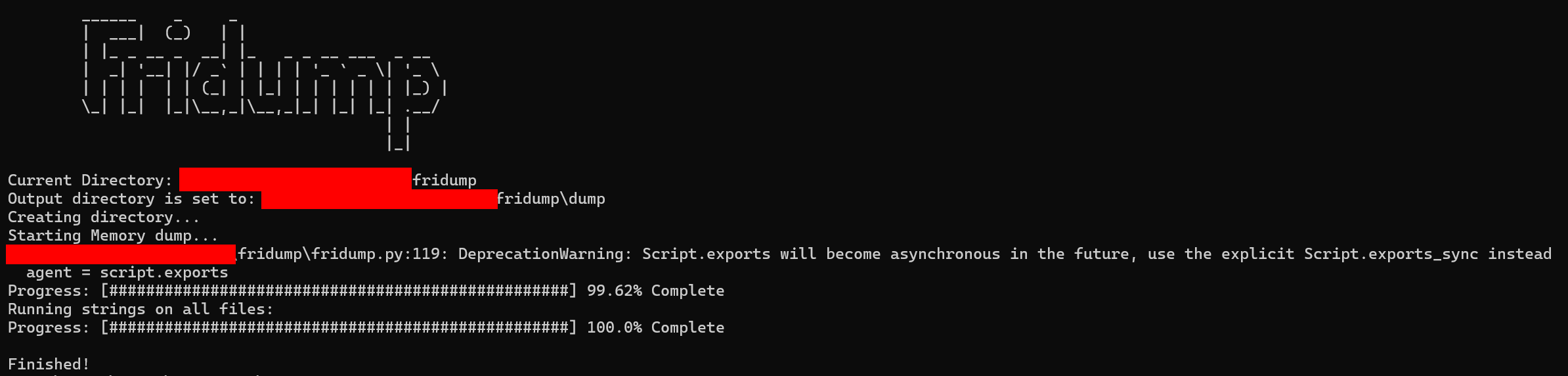
-
Looking through the
strings.txtfile, we can find the flag.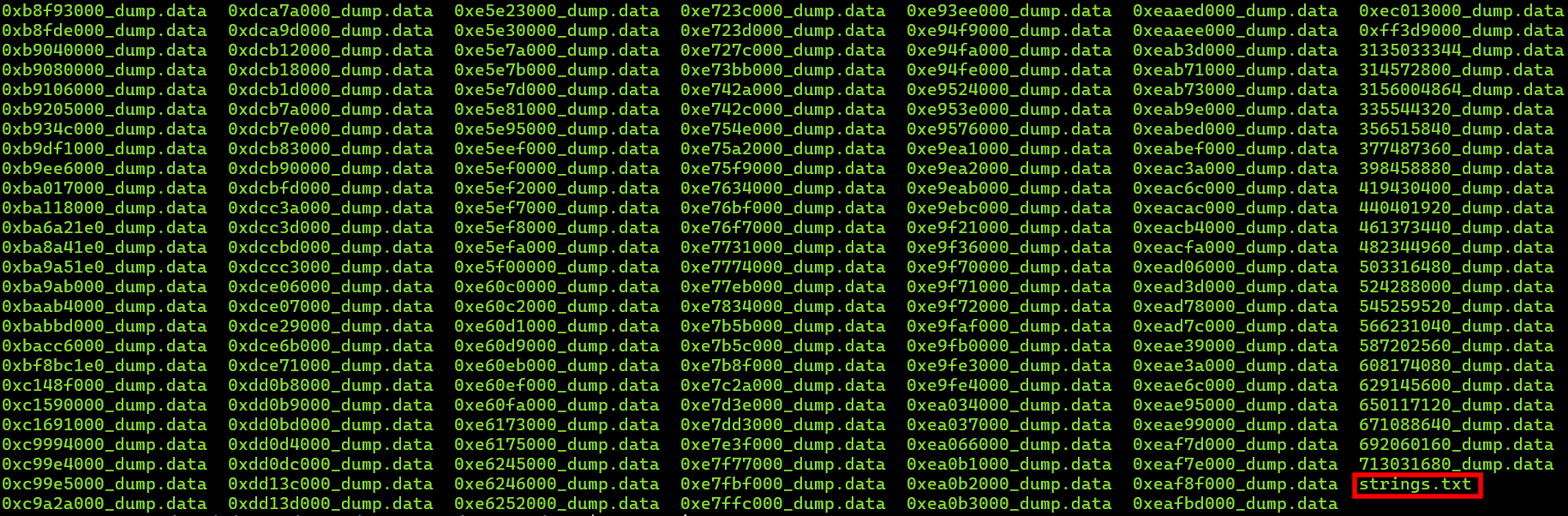

Way #3: Using Frida
I searched for how to scan memory using frida and the docs helped me to do this.
So, after we trigger Activity2 using the valid base64 value, the native library called libflag.so is loaded and the flag is initialized in memory. So, we need to scan libflag.so for the "MHL" pattern and read the flag using the following Frida script:
Java.perform(function() {
    setTimeout(function () {
        var moduleName = "libflag.so";
        var pattern = "4D 48 4C 7B"; // MHL {
        var module = Process.getModuleByName(moduleName);
        if (module === null) {
            console.log("[-] Module not found: " + moduleName);
        } else {
            console.log("[*] Scanning module:", moduleName, module.base, "size:", module.size);
            Memory.scan(module.base, module.size, pattern, {
                onMatch: function (address, size) {
                    console.log("[+] match at", address, "size", size);

                    console.log(hexdump(address, { length: 64 }));

                    var flagString = Memory.readCString(address);

                    console.log("Flag: ", flagString);
                },
                onComplete: function() {
                    console.log("[*] scan complete");
                },
                onError: function (reason) {
                    console.log("[-] scan error:", reason);
                }
            });
        }
    }, 2000);
});
readCSString(address) to extract a C string from the address.
Let’s run the script and get the flag.
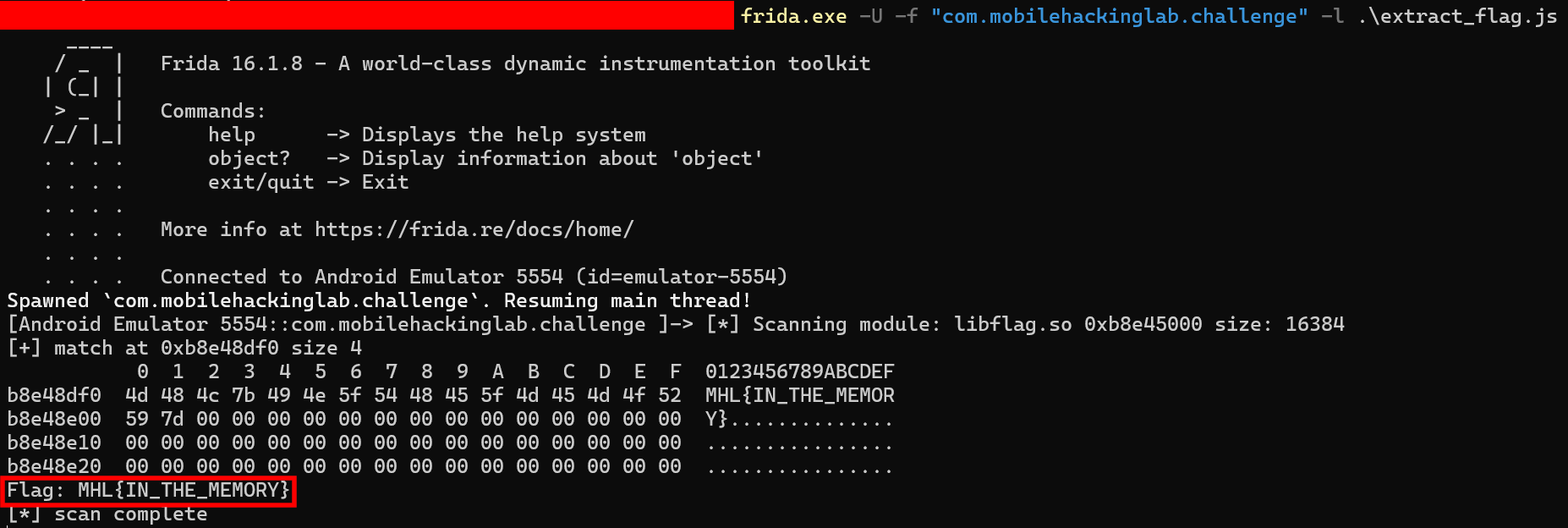
Flag: MHL{IN_THE_MEMORY}